
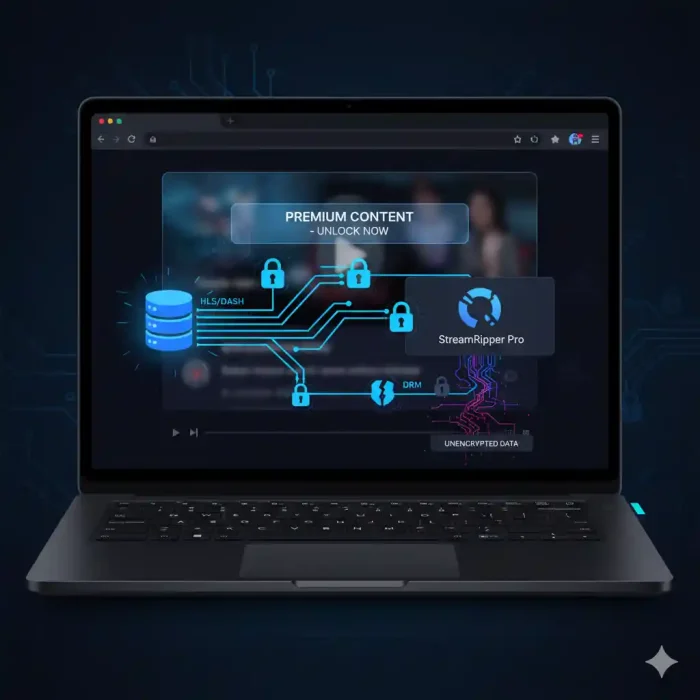
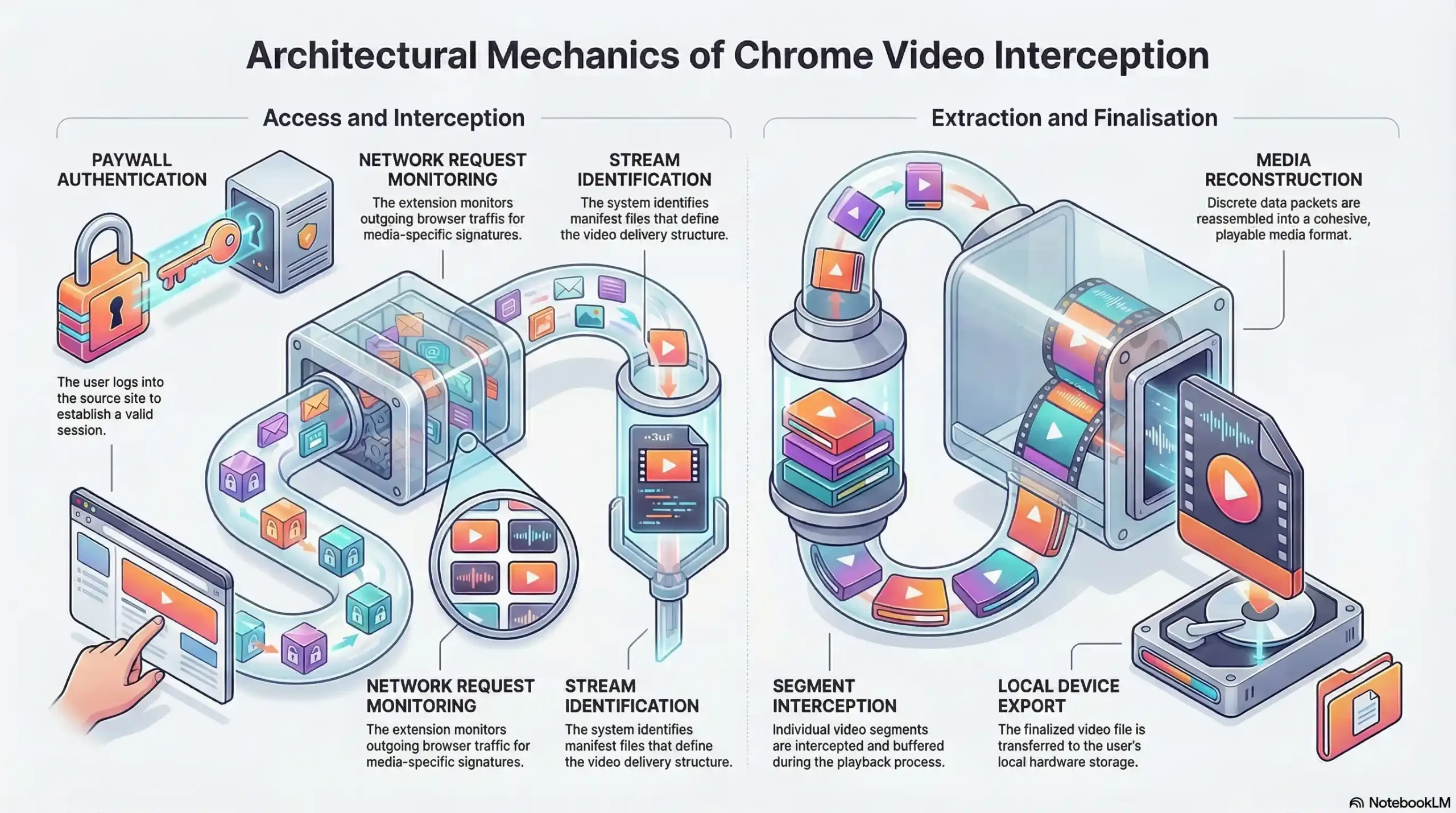
| Step | Action | Security Layer Bypassed |
|---|---|---|
| 1 | User visits paywall-protected video page | Membership gate passed (legitimate login) |
| 2 | Browser authenticates token and requests media stream | Token authentication satisfied |
| 3 | HLS/DASH stream begins flowing to browser | No encryption on stream content |
| 4 | Chrome extension detects active media network request | Right-click lock irrelevant |
| 5 | Extension presents one-click download to user | Embed restriction irrelevant |
| 6 | Full video downloaded to local device in minutes | No forensic trace left |
What “Real” Video Protection Actually Looks Like
Genuine video security operates at the content layer — not the interface layer. It means the media stream itself is encrypted, and decryption requires hardware or software authorization that a browser extension cannot replicate.
DRM Encryption — The Only Standard That Actually Works
Digital Rights Management (DRM) is not a feature. It is a content licensing architecture that governs how a media file can be decrypted, on which devices, under which conditions, and for how long. The three major DRM systems in active deployment are Google’s Widevine, Microsoft’s PlayReady, and Apple’s FairPlay. A robust platform implements all three to ensure device-wide compatibility.
When a video is DRM-encrypted, the media file stored on the CDN is not a readable video file. It is an encrypted payload. To play it, the viewer’s device must communicate with a license server, prove authorization, and receive a decryption key scoped specifically to that session and that device. The key never travels through the browser’s accessible memory in a usable form. There is nothing for a Chrome extension to intercept — because the stream itself, even if captured, is unreadable without the license.
AES-128 encryption applied at the CDN level adds a further layer: every segment of the HLS or DASH stream is individually encrypted. Even if a sophisticated attacker were to capture individual stream segments, assembling them into a playable file would require breaking the encryption — which is computationally infeasible with current technology.
Dynamic Watermarking — Your Forensic Safety Net
DRM prevents unauthorized downloading. Dynamic watermarking addresses the scenario where a human uses a camera pointed at a screen — the so-called “analog hole” — or where DRM is circumvented on a compromised device.
Unlike static watermarks, which apply the same visible or invisible mark to every viewer’s copy, dynamic watermarking embeds a unique, session-specific identifier into every stream delivered. This identifier is invisible to the viewer and changes position and encoding across the video, making it impossible to crop, blur, or edit out without destroying the video quality.
If a watermarked video appears on a piracy site, Inkrypt Videos’ forensic system can analyze the recovered copy and identify the exact account, session, and timestamp associated with that specific stream. The leaker is identified — even if they never downloaded the file directly, and even if the recording was made with a physical camera.
This transforms the security posture from reactive damage control to active deterrence. When users know that every stream they watch is uniquely fingerprinted to their session, the calculus of sharing changes entirely.
Domain Restriction and Token Authentication as Supporting Layers
Domain restriction ensures your videos cannot be embedded on unauthorized third-party sites. Token authentication ensures CDN delivery URLs cannot be harvested and reused. These are not replacements for DRM — they are complementary layers that close additional attack vectors.
Inkrypt Videos applies all three layers simultaneously: DRM encryption at the content level, dynamic watermarking for forensic identification, domain restriction to control embed contexts, and CDN token authentication to control delivery windows. No single layer is treated as sufficient. The architecture is designed around the assumption that any individual control may be tested — and that the system as a whole must hold regardless.
Widevine L1 vs L3 — Why Your Current Platform May Be Leaving You Exposed
Widevine is the most widely deployed DRM system in the world, used across Android devices, Chrome browsers, and Chromebook hardware. However, not all Widevine implementations are equal. Widevine operates across three security levels — L1, L2, and L3 — and the difference between L1 and L3 is the difference between genuine hardware-enforced security and software-only protection that can be bypassed on a rooted device.
| Feature | Widevine L1 | Widevine L3 |
|---|---|---|
| Decryption environment | Hardware Trusted Execution Environment (TEE) | Software only |
| Screen capture resistance | Hardware-enforced blocking | Limited — can be bypassed |
| Rooted device vulnerability | Resistant | Vulnerable |
| Maximum supported resolution | 4K HDR | 1080p (platform dependent) |
| Target use case | Premium content, enterprise media | Standard streaming |
| Extension interception resistance | High | Moderate |
Many video hosting platforms advertise Widevine DRM without specifying which level they implement. A platform delivering L3 only is providing software-layer protection — meaningful against casual users, but insufficient against determined attackers using rooted Android devices or modified browser environments.
Inkrypt Videos implements Widevine across applicable security levels, combined with PlayReady for Microsoft ecosystems and FairPlay for Apple devices, ensuring that protection quality is not sacrificed for the sake of compatibility.
📌 Your content deserves more than software-level protection. Inkrypt Videos delivers enterprise-grade DRM with Widevine integration, dynamic watermarking, and Amazon CDN global delivery — with a setup time of 30 minutes. Visit inkryptvideos.com or call 804-500-2905 to get started today.
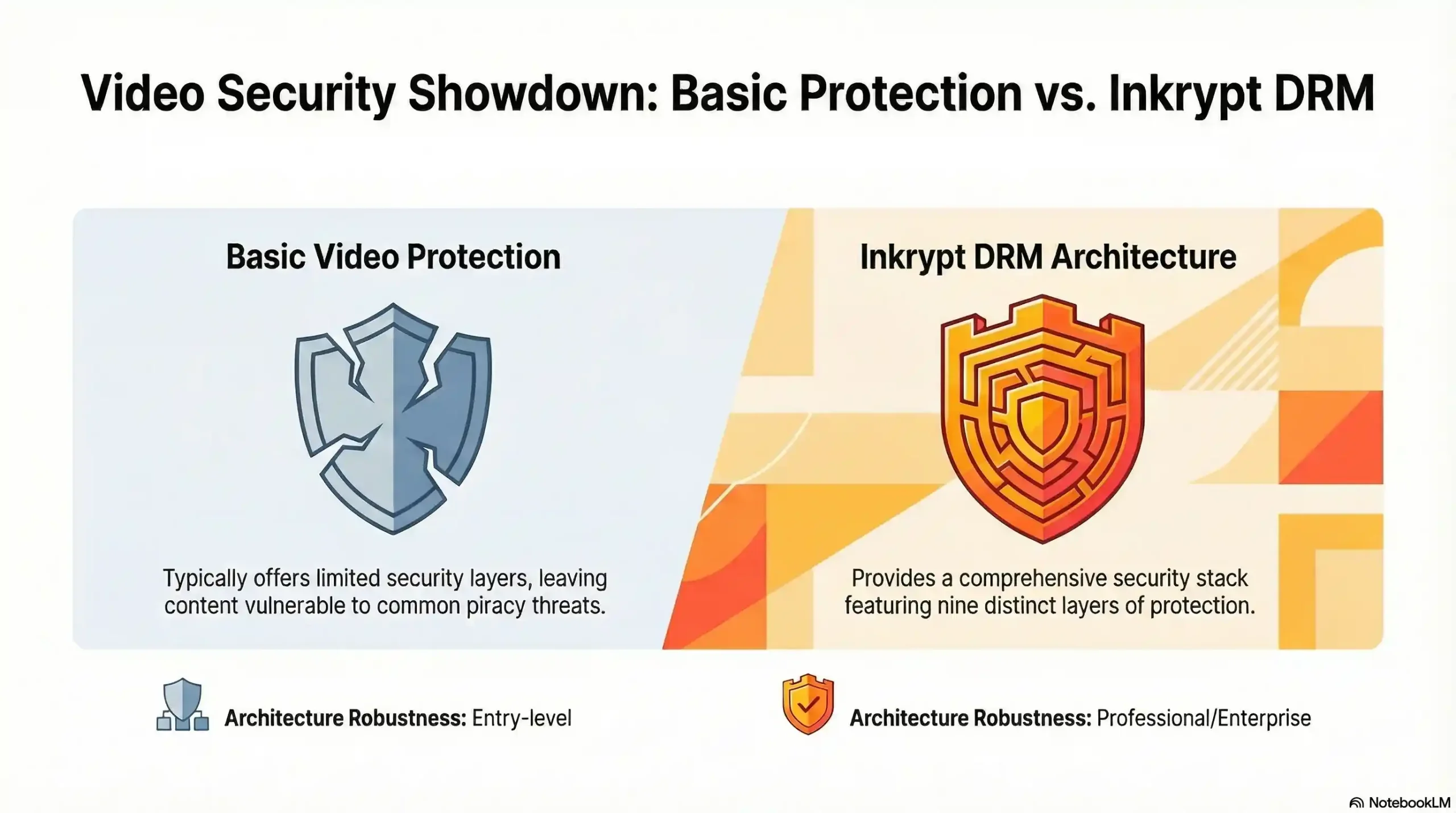
| Protection Layer | Basic Platform | Inkrypt Videos |
|---|---|---|
| Right-click disable | ✓ | ✓ |
| Embed domain restriction | ✓ | ✓ |
| CDN token authentication | ✓ | ✓ |
| AES-128 stream encryption | ✗ | ✓ |
| Widevine / PlayReady / FairPlay DRM | ✗ | ✓ |
| Dynamic forensic watermarking | ✗ | ✓ |
| Chrome extension interception blocked | ✗ | ✓ |
| Screen recording resistance | ✗ | ✓ |
| Leaker identification capability | ✗ | ✓ |
Does Vimeo or YouTube Protect Your Videos From Chrome Extensions?
This is one of the most common questions asked by course creators and media publishers evaluating their options — and it deserves a direct, honest answer.
YouTube applies its own proprietary DRM to content delivered through the YouTube platform. However, YouTube is a public distribution platform, not a secure content delivery system. Videos uploaded to YouTube — even unlisted ones — are subject to YouTube’s terms, YouTube’s ad policies, and YouTube’s infrastructure decisions. The platform is not designed to protect premium paid content, and the ecosystem of download tools targeting YouTube specifically is enormous.
Vimeo offers meaningful security upgrades over basic hosting, including domain-level privacy controls, password protection, and in its enterprise tier, some DRM capabilities. For casual content protection, Vimeo’s controls are reasonable. For creators whose business model depends on content exclusivity — course creators charging hundreds or thousands of dollars per enrollment, media companies protecting distribution windows, publishers monetizing premium archives — Vimeo’s architecture was not built for that threat model.
The fundamental distinction is this: general-purpose video platforms optimize for reach, discoverability, and ease of use. Dedicated content protection platforms optimize for security architecture. These are different engineering priorities, and they produce different outcomes when a determined user installs a download extension.
Local Resources & Citations
1. U.S. Copyright Office — Copyright.gov
Why it helps: The official US government authority on the Digital Millennium Copyright Act (DMCA) — creators can reference this to understand their legal rights when their video content is stolen or illegally redistributed online.
2. World Intellectual Property Organization — WIPO.int
Why it helps: The United Nations agency governing global intellectual property law — provides internationally recognized frameworks for digital content protection that apply to creators distributing video content across borders.
3. Google Widevine — Widevine.com
Why it helps: The official technical specification page for Google’s Widevine DRM system — creators and enterprises can verify L1/L3 certification standards and device compatibility requirements directly from the manufacturer.
4. MIT OpenCourseWare — ocw.mit.edu
Why it helps: MIT’s publicly accessible academic resource on digital rights management and content security provides a peer-reviewed educational context that reinforces the technical claims made throughout the article with institutional authority.
The Inkrypt Videos Solution — Built for Creators Who Cannot Afford to Lose Content
Inkrypt Videos was built specifically to close the gap between how protected creators think they are and how protected they actually are. The platform is not a general-purpose video host that added security features. It is a security-first architecture that also delivers enterprise video performance.
The core stack includes multi-DRM encryption (Widevine, PlayReady, FairPlay), dynamic forensic watermarking, AES-128 CDN-level stream encryption, domain restriction, and token-authenticated delivery — all applied simultaneously, not as optional add-ons.
Global delivery is handled through Amazon CDN integration, ensuring that a course creator in Toronto, a student in Singapore, and an enterprise viewer in Frankfurt all receive the same zero-buffering, high-fidelity stream — with the same security architecture applied regardless of geography or device.
Integration requires no dedicated technical team. The WordPress plugin and straightforward API mean that a creator with no development background can have full DRM protection live within 30 minutes. The platform supports all devices, including older hardware that many enterprise DRM solutions exclude, ensuring that security does not come at the cost of student or viewer accessibility.
Real-time analytics provide visibility into viewing behavior, engagement patterns, and access logs — giving creators both the business intelligence to improve their content and the security intelligence to identify anomalous access patterns before they become a piracy incident.
Inkrypt Videos is a registered US company, reachable at 1528 W Sunset Ave, Springdale, Arizona 72764, and operates a global content protection infrastructure built for creators and enterprises who understand that their video content is not just media — it is their business.
📌 Stop hoping your videos are protected. Know that they are. Inkrypt Videos delivers DRM encryption, dynamic watermarking, and global CDN performance — with setup in 30 minutes and support you can actually reach. Call 804-500-2905 or visit inkryptvideos.com today. Your content built your business. Protect it accordingly.