
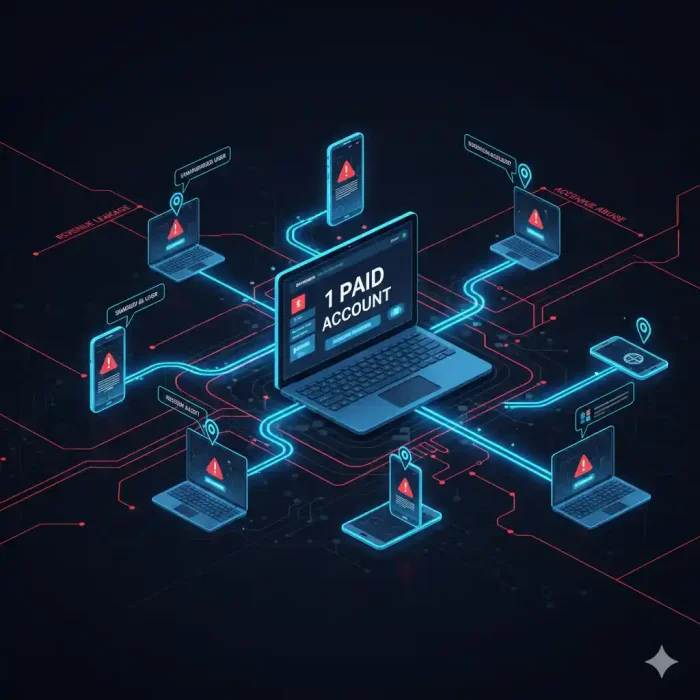
Student login sharing — also called credential sharing or account abuse — occurs when one paying user shares their username and password with multiple non-paying individuals. For online course creators and video platform operators, this silently drains revenue, distorts analytics, and violates platform terms of service. Detection relies on concurrent session monitoring, device fingerprinting, and behavioral analytics. Prevention requires a layered defense: session limits, token-based authentication, dynamic video watermarking, and DRM encryption. Platforms like Inkrypt Videos provide purpose-built tools to detect, deter, and forensically trace every credential abuse incident.
What Is Student Login Sharing and Why It’s Destroying Your Revenue
You worked for months building your online course. You priced it carefully, launched it successfully, and watched enrollment numbers climb. But here is a question most course creators never think to ask: how many people are actually watching your content compared to how many paid for it?
Student login sharing — the practice of one enrolled student distributing their login credentials to friends, colleagues, or entire study groups — is one of the most financially damaging and least visible threats facing online education platforms today. Unlike traditional piracy, which involves downloading and redistributing files, credential sharing exploits your own platform’s legitimate access system. To your server logs, every shared login looks like a normal, authorized session.
That invisibility is precisely what makes it so dangerous.
The Anatomy of a Credential Abuse Incident
A typical credential abuse scenario unfolds quietly. A student purchases access to your $299 course. Within days, they share their login with three friends. Those friends share it further. Within two weeks, a single purchased seat is supporting eight to fifteen simultaneous learners — none of whom contributed a single dollar to your business.
Each of those unauthorized users consumes your CDN bandwidth, taxes your video delivery infrastructure, and occupies a seat you could have sold. More critically, they represent real, measurable lost revenue that compounds with every new cohort you launch.
Why Students Don’t Think It’s Stealing (And Why That Makes It Worse)
Here is the uncomfortable truth: the majority of students who share login credentials do not consider themselves pirates. They rationalize the behavior the same way a household justifies sharing a streaming subscription — it feels like a minor convenience, not a crime. This normalization, accelerated by years of password-sharing culture on consumer streaming platforms, has migrated directly into the eLearning space.
This psychological gap means that technical deterrence is not optional. You cannot rely on terms of service or honor systems. You need systems that make credential sharing structurally difficult, immediately detectable, and forensically traceable.
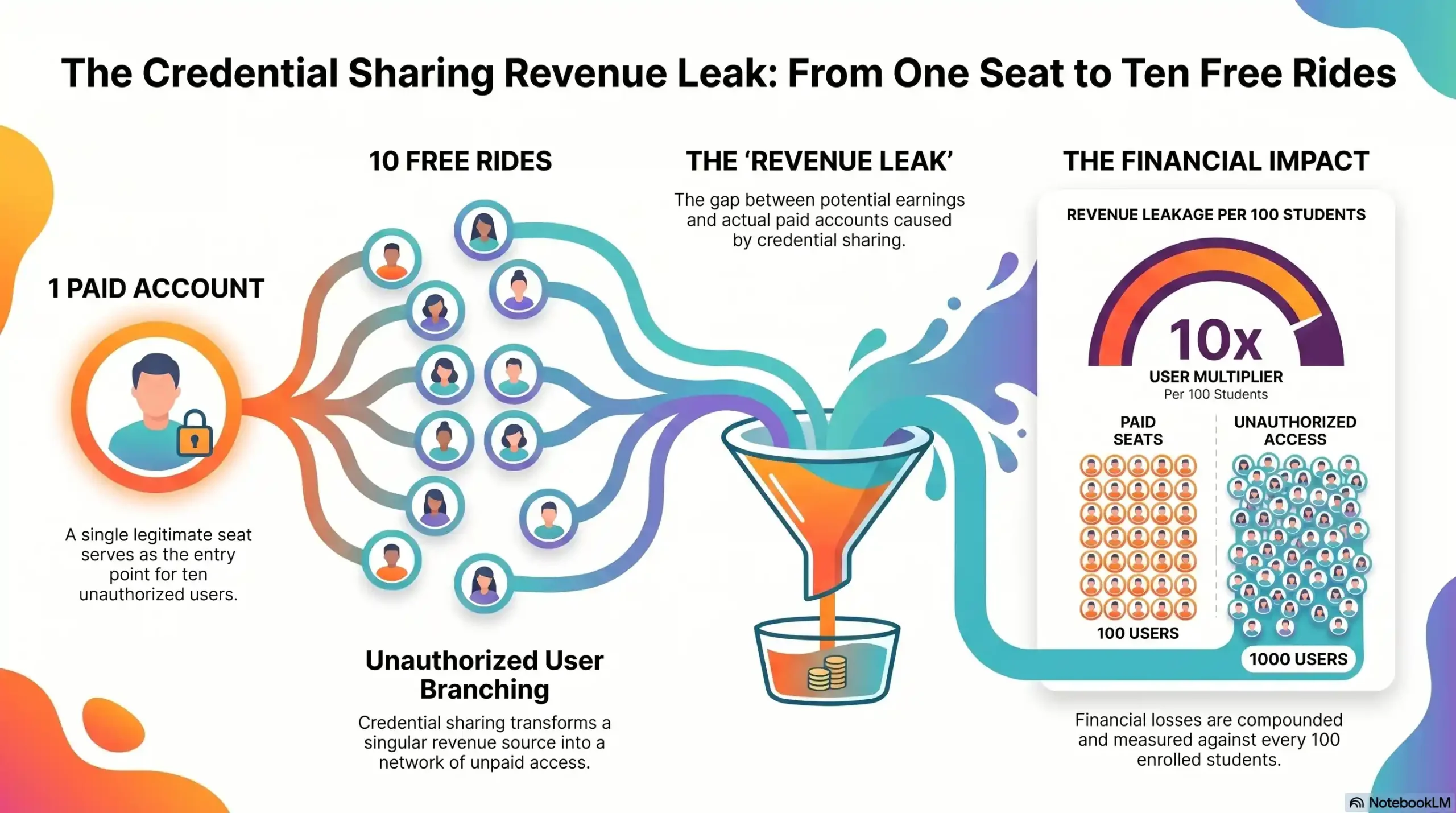
Average unauthorized users per shared account
- 4–8 additional users
Estimated revenue loss per 100 enrolled students
- 20%–40% of potential revenue
Percentage of credential sharing that goes undetected without tools
- ~85%
Primary sharing method
- Direct password handoff via messaging apps
Most affected platform type
- Self-hosted online courses and eLearning platforms
The True Cost of Credential Sharing for Course Creators
Calculating Your Revenue Leak (With Real Numbers)
The financial damage of credential sharing is not abstract. Consider a mid-sized online course platform with 500 enrolled students and an average course price of $199. Industry data consistently shows that between 20% and 35% of active sessions on unprotected platforms involve shared credentials.
If just 20% of your 500 students share their login with an average of four additional users, that represents 400 people accessing your content without payment. At $199 per course, that is a $79,600 revenue gap — from a single course, in a single enrollment cycle.
Scale that across multiple courses, recurring cohorts, and annual subscriptions, and the cumulative impact becomes existential for growing creator businesses. The damage is not only financial. Shared accounts distort your engagement analytics, making it impossible to accurately measure student progress, completion rates, or content performance — the very metrics you rely on to improve your product and justify your pricing.
6 Clear Warning Signs Your Platform Is Being Abused Right Now
If you have not yet implemented dedicated detection tools, the following behavioral signals are your first line of awareness. Treat each one as a red flag requiring immediate investigation.
- Simultaneous logins from geographically distant locations — A single account logging in from New York and Lagos within the same hour is a near-certain indicator of credential sharing.
- Abnormally high session counts per account — If your average student generates 3–4 sessions per week and one account shows 25–30, that account is almost certainly shared.
- Multiple device types on one account within short timeframes — A legitimate student does not switch between a MacBook, an Android phone, a Windows PC, and a Smart TV within the same day.
- Completion rates that defy enrollment numbers — When your analytics show more video completions than your enrolled student count logically supports, unauthorized access is the most probable explanation.
- IP address clusters from non-residential sources — Multiple logins from university campus networks, coworking spaces, or VPN exit nodes under a single account signal organized group sharing.
- Sudden spikes in bandwidth consumption without corresponding new enrollments — Your CDN costs climb, but your revenue does not. This is the financial signature of large-scale credential abuse.
How to Detect Login Sharing: The Technical Signals You Must Monitor
Awareness of warning signs is the starting point. Systematic detection requires infrastructure-level monitoring built into your platform’s access architecture.
Concurrent Session Detection
The most direct technical detection method is concurrent session monitoring — the ability to track how many active sessions are running simultaneously under a single account. A robust platform should allow you to set a maximum number of concurrent sessions per user (typically one or two for individual licenses) and automatically flag or terminate sessions that exceed this threshold.
Critically, this detection must operate in real time. Delayed reporting is insufficient — by the time a weekly analytics report surfaces an anomaly, hundreds of unauthorized viewing hours may have already occurred.
Device Fingerprinting and IP Pattern Analysis
Device fingerprinting goes beyond simple IP address tracking. It constructs a unique identifier for each device accessing your platform based on browser configuration, operating system, hardware characteristics, and network parameters. When a single account is accessed from devices with radically different fingerprints within a compressed timeframe, the system flags the discrepancy automatically.
IP pattern analysis complements fingerprinting by identifying geographic impossibilities — what security professionals call “impossible travel events.” If an account logs in from São Paulo at 9:00 AM and from Berlin at 10:30 AM, no legitimate single user could have made that journey. That pattern is machine-detectable and should trigger an immediate account review.
Behavioral Analytics — What Normal vs. Abusive Access Looks Like
Sophisticated platforms build behavioral baseline profiles for each user. A legitimate student exhibits consistent patterns: they log in at roughly similar times, progress through content sequentially, pause and rewind at natural learning moments, and access the platform from a stable set of devices.
Shared accounts exhibit the opposite: erratic access schedules driven by multiple users’ availability, non-sequential content consumption as different users jump to different modules, and a device diversity that no single human learner would naturally generate.
Stop Flying Blind on Your Own Platform
Inkrypt Videos gives you real-time visibility into every session — who is watching, where they are, and exactly what device they are using. Identify credential abuse before it compounds. Visit inkryptvideos.com to see how it works.
Why DRM Encryption Is the Last Line of Defense Against Credential Abuse
All of the detection and access-control strategies above operate at the account layer — they manage who can log in. DRM encryption operates at the content layer — it controls what can be done with the video itself, even after legitimate access has been granted.
How Widevine DRM Stops Sharing at the Content Layer
Widevine DRM — the same enterprise-grade content protection system used by Netflix, Disney+, and Amazon Prime — encrypts the video stream itself using cryptographic keys that are bound to the specific licensed device and session. Even if a student successfully shares their credentials and another user gains platform access, the DRM layer prevents the video from being played on an unlicensed device, screen-recorded at the system level, or captured through capture card interception.
This means that even in a worst-case scenario where all account-level controls are bypassed, the content itself remains protected. The video simply will not render on an unauthorized device. No downloadable file exists. No screen capture produces usable quality. The content is, in the truest technical sense, locked to its authorized viewer.
Inkrypt Videos deploys Widevine DRM across all hosted content by default, providing the same content-layer protection used by the world’s largest streaming platforms — delivered without the enterprise complexity or cost those platforms require.
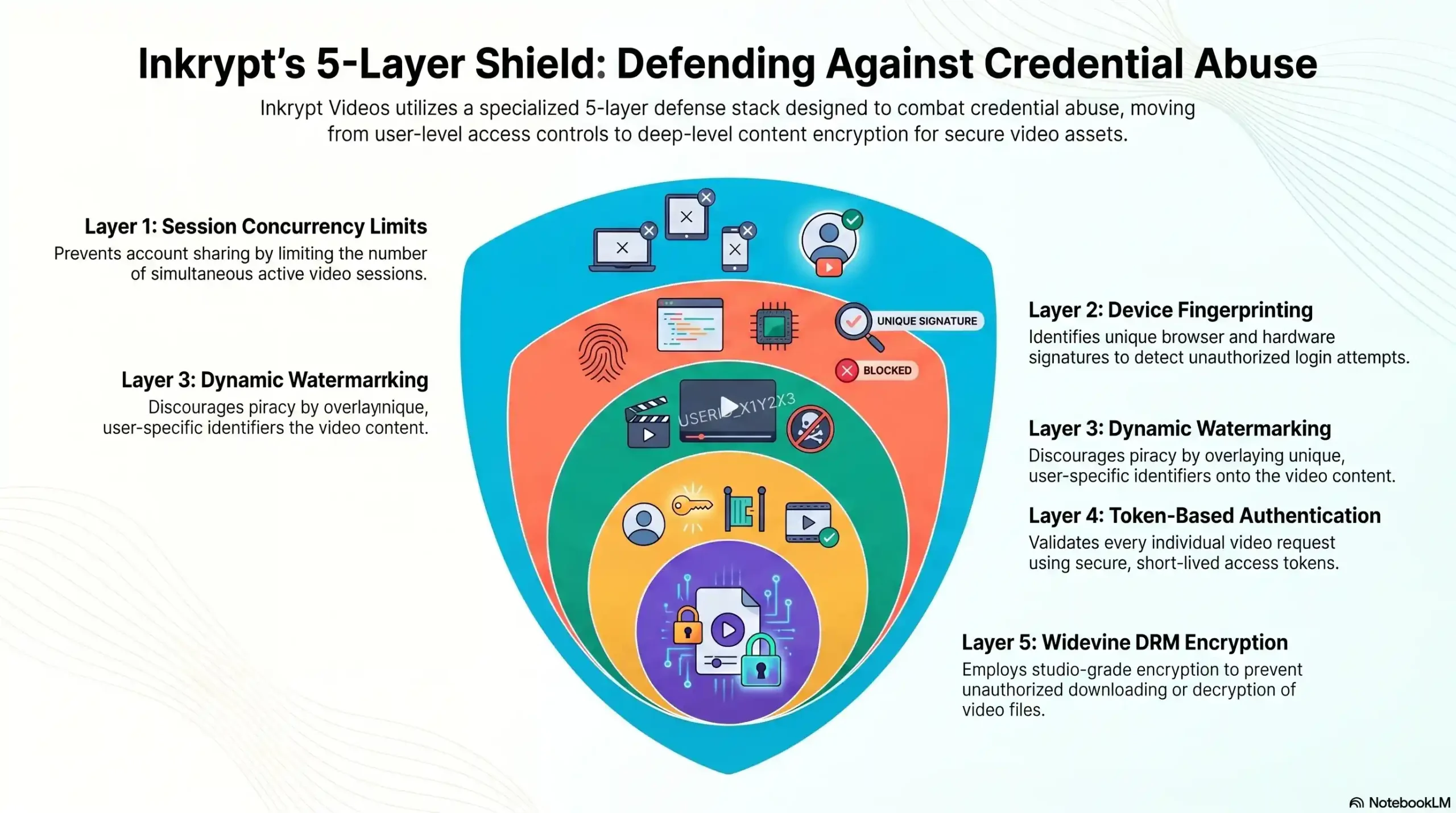
Session Concurrency Limits
- What it stops: Multiple simultaneous users on one account
- Inkrypt Videos feature: Real-time session enforcement
Device Fingerprinting
- What it stops: Unrecognized device access
- Inkrypt Videos feature: Automatic device ID tracking
Dynamic Watermarking
- What it stops: Anonymous content redistribution
- Inkrypt Videos feature: Forensic per-stream watermarking
Token-Based Authentication
- What it stops: Static password sharing
- Inkrypt Videos feature: Cryptographic session tokens
Widevine DRM Encryption
- What it stops: Content capture and redistribution
- Inkrypt Videos feature: Enterprise DRM by default
🏛️ Local Resources & Citations
1. NIST — National Institute of Standards & Technology: Digital Identity Guidelines (SP 800-63-4) The U.S. government’s definitive technical framework for digital identity, authentication assurance levels, session management, and credential security — reference this to validate the technical standards behind concurrent session controls and token-based authentication discussed in this article.
2. CISA — Cybersecurity & Infrastructure Security Agency: Protecting Accounts from Credential Compromise The U.S. federal cybersecurity authority’s official guidance on credential risk, unauthorized access detection, and MFA enforcement — directly corroborates the “impossible travel” detection methods and authentication hardening strategies outlined in this article.
3. FTC — Federal Trade Commission: Start with Security — Require Secure Passwords & Authentication The U.S. consumer protection regulator’s official business security guide, which explicitly warns against shared credentials and mandates unique authentication per user — directly supports the legal and operational case for enforcing session concurrency limits and device-bound access on online platforms.
4. WIPO — World Intellectual Property Organization: IP Enforcement & Digital Content Protection The United Nations’ specialized agency for intellectual property sets the international legal framework governing DRM, anti-circumvention measures, and digital content protection under the WIPO Copyright Treaty (WCT) — validates the global legal standing of DRM encryption and watermarking as legitimate content protection tools.
How Inkrypt Videos Solves the Credential Sharing Problem End-to-End
Inkrypt Videos was built specifically for creators whose business depends on the security of their video content. While generic hosting platforms treat security as an optional add-on, Inkrypt Videos architects protection into every layer of its infrastructure from the ground up.
The platform combines Widevine DRM encryption, dynamic forensic watermarking, real-time session monitoring, device fingerprinting, and Amazon CDN delivery into a single, unified system that requires no technical background to deploy. A course creator can go from unprotected to fully defended in under 30 minutes.
More importantly, Inkrypt Videos gives creators the forensic visibility they have never had before — the ability to see exactly who is accessing their content, from where, on what device, and at what time. When abuse occurs, the evidence is already collected. When deterrence is in place, sharing attempts drop measurably.
This is what “real security for real creators” means in practice: not a promise, but a provable, working system that closes the revenue gap and gives content creators the peace of mind to scale their business with confidence.
For platform operators ready to stop the silent revenue drain, the path forward is clear.
Every Day Without Protection Is Revenue You Will Never Recover
Join the course creators and enterprise platforms worldwide that trust Inkrypt Videos to protect what they have built. Visit inkryptvideos.com — and get protected today.