

Self-hosting course videos on WordPress exposes your content to direct MP4 URL theft, hotlinking, browser-based download tools, and credential sharing — with zero encryption protection by default. WordPress has no built-in Digital Rights Management (DRM) infrastructure. Security plugins operate only at the application layer and cannot prevent server-level file extraction. The only professional-grade solution is DRM-encrypted video hosting — combining Widevine, FairPlay, and PlayReady encryption with dynamic watermarking and signed URLs — delivered through a dedicated secure video platform.
The False Sense of Security WordPress Gives You
WordPress powers over 43% of the internet. It is flexible, affordable, and deeply familiar to course creators building their first — or fiftieth — online learning platform. When you upload a course video to your WordPress media library, it feels contained. It feels like yours. It feels safe.
It is not.
WordPress is a content management system. It was built to publish content, not to protect it. When a video file lands in your WordPress media library, it is stored as a static asset on your web server — accessible, in most configurations, to anyone who knows the URL. There is no encryption. There is no license control. There is no DRM layer standing between your premium course content and a determined downloader.
The illusion of security comes from familiarity. Your LMS plugin hides the video behind a paywall page. Your video player removes the right-click menu. A security plugin promises protection. But none of these measures touch the actual file. The MP4 sitting on your server remains exposed at the infrastructure level — and pirates operate at the infrastructure level.
What Happens When You Upload a Video to WordPress Media Library
The moment you upload a video to WordPress, the file is assigned a permanent, publicly accessible URL. A typical path looks like this: yourdomain.com/wp-content/uploads/2025/01/course-module-1.mp4. No login is required to access this URL directly. No membership check is performed at the server level. Any viewer who can find that URL — and finding it takes less than thirty seconds using a browser’s built-in developer tools — can download your video without ever paying for your course.
This is not a vulnerability in the traditional sense. It is simply how static file hosting works. And WordPress, by design, does nothing to change it.
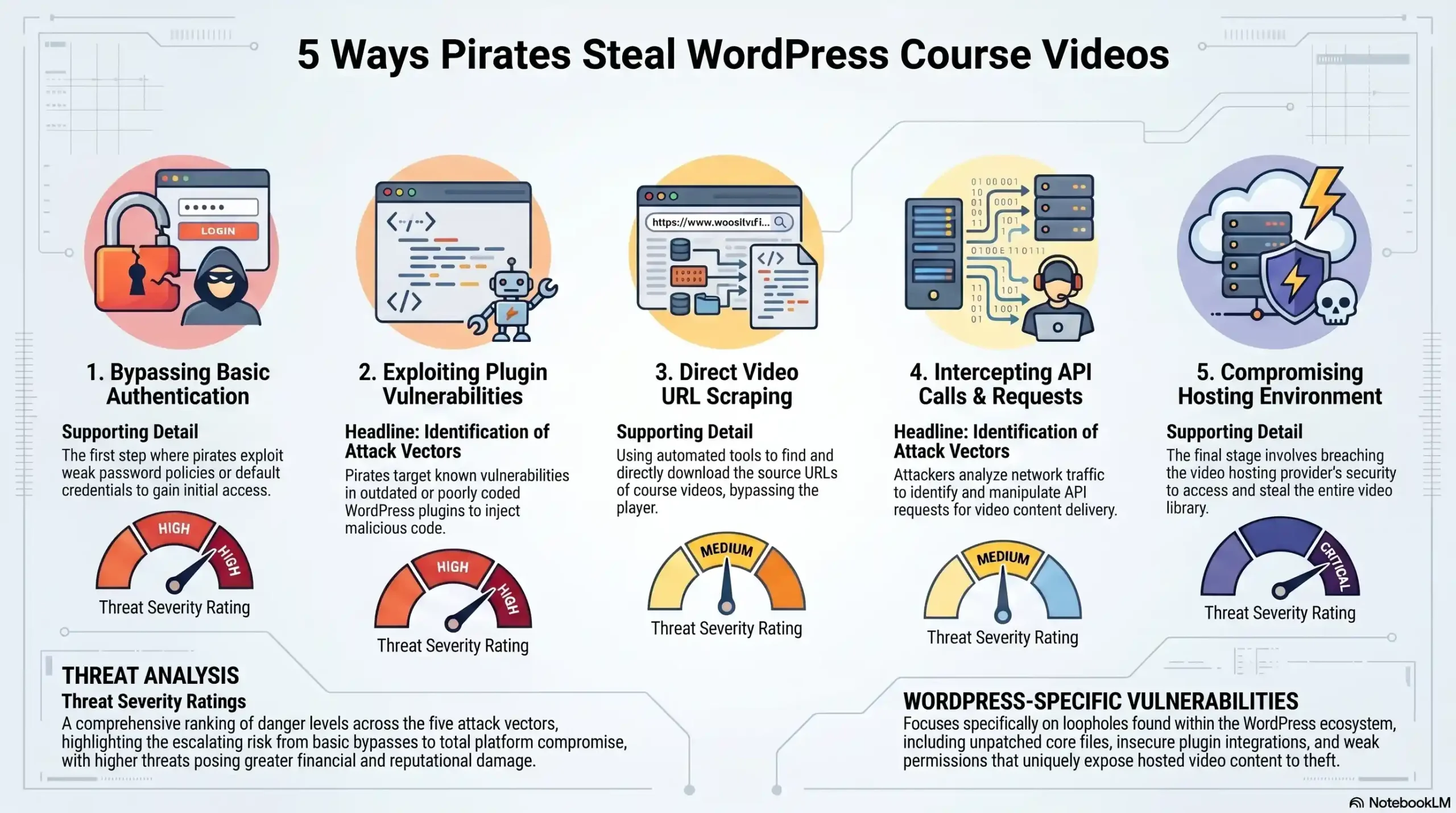
The 5 Real Attack Vectors Targeting Your Course Videos Right Now
These are not theoretical threats. They are active, documented techniques used daily against course creators, coaches, and e-learning platforms worldwide. Understanding each one is the first step toward building a genuine defense.
1. Direct MP4 URL Extraction via Browser DevTools
Every modern browser ships with a developer console. Your students have it. Anyone visiting your site has it. By opening the Network tab while a video plays, any user can identify the direct URL of the video file being streamed. Once that URL is copied, the video can be downloaded with a standard browser or any download manager — no special tools required. Anyone who opens the browser’s developer tools can usually find the direct video URL. Once they have that link, they can download or share the video without visiting your site again. Disabling the right-click menu, hiding player controls, or using a custom video player does not close this vulnerability. The URL is transmitted over the network regardless of what the player interface shows.
2. Hotlinking & Remote Embedding
Hotlinking occurs when someone copies your video’s direct URL and embeds it on their own website or platform — streaming your file from your server, on their page, without your permission. Your server pays the bandwidth costs. They deliver your content for free. Beyond the financial drain, hotlinked course videos can appear on competitor platforms, piracy aggregators, or social sharing sites with no attribution and no access control. Basic .htaccess rules can limit hotlinking by domain, but they are trivially bypassed using proxy servers or simple URL manipulation.
3. Browser Extension & Download Manager Attacks
Tools like Video DownloadHelper, Internet Download Manager (IDM), and dozens of free browser extensions are designed specifically to intercept and capture video streams from any website. These tools operate at the network interception layer — they capture the stream as it travels to the browser, entirely bypassing any interface-level restrictions your WordPress plugins may impose. If your video is served as a standard MP4 file, it is vulnerable — even if you have hidden player controls or disabled right-click.
4. Credential Sharing & Account Hijacking
A single paying student can share their login credentials with dozens of others. On a standard WordPress LMS setup, there is no mechanism to detect simultaneous logins from different IP addresses, flag account sharing, or revoke access in real time. One purchase becomes unlimited access. There is no forensic trail, no session binding, and no way to identify which account was responsible for a leak after the fact. Password sharing drains up to 30% of e-learning revenue — a figure that compounds silently while course creators attribute declining enrollment to market saturation rather than active exploitation.
5. Screen Recording & AI-Assisted Capture
Even a perfectly secured video stream can be captured through screen recording. Built-in OS tools — Windows Game Bar, macOS QuickTime — require no technical knowledge. Third-party tools go further, capturing at full resolution with audio. With high-speed internet and advanced downloading and hacking tools readily available, pirated content can be created and shared within hours of release. This is the attack vector that no firewall can fully stop — but it can be powerfully deterred through dynamic watermarking, which embeds a unique, invisible identifier into each viewing session, creating a forensic trail that survives re-encoding and compression.
Direct MP4 URL Extraction
- Method used: Browser DevTools / Network Tab
- Threat level: Critical
- Stopped by WordPress plugins? No
- Stopped by DRM? Yes
Hotlinking & Remote Embedding
- Method used: Copied URL embedded on external site
- Threat level: Critical
- Stopped by WordPress plugins? Partial
- Stopped by DRM? Yes
Browser Extension / Download Manager
- Method used: Stream interception tools
- Threat level: Critical
- Stopped by WordPress plugins? No
- Stopped by DRM? Yes
Credential Sharing
- Method used: Shared login credentials
- Threat level: High
- Stopped by WordPress plugins? Partial
- Stopped by DRM? Yes — Session binding
Screen Recording & AI Capture
- Method used: OS/third-party screen capture
- Threat level: High
- Stopped by WordPress plugins? No
- Stopped by DRM? Yes — Watermarking deterrent
Why WordPress Security Plugins Are Not Enough
The WordPress plugin ecosystem offers dozens of tools that promise video protection. Restrict Content Pro. MemberPress. WP Shield. Prevent Direct Access. These are legitimate, well-built products — and they are fundamentally insufficient for serious content protection.
Here is why: every WordPress security plugin operates at the application layer. They control who can see a page, whether a download button appears, and whether a URL is obfuscated. What they cannot do is encrypt the video file itself. The file remains a static asset on your server. The access control logic lives in PHP code that executes before the file is served — but the file, once the access check passes, travels unencrypted to the browser.
Even if you try using JavaScript and other basic security plugins, you are always vulnerable due to the private key being revealed through the network and other logs. This is the critical architectural flaw that no plugin can patch. Application-layer security stops casual browsers. It does not stop anyone with moderate technical knowledge and a free browser extension.
The “95% of average users” argument — frequently cited by plugin vendors — is dangerously misleading for premium course creators. The 5% who bypass application-layer security are precisely the users who will redistribute your content at scale. One technically capable pirate with access to your course can generate thousands of unauthorized copies. Protecting against 95% of threats while ignoring the 5% that cause 100% of the damage is not a security strategy. It is wishful thinking.
The Real Cost of Course Piracy: What the Data Says
Piracy is not an abstract risk. It is an active, measurable revenue drain happening to course creators right now.
Piracy sites attracted 216.3 billion visits in 2024. The e-learning sector is among the most targeted categories, with Telegram groups and torrent sites serving as primary distribution channels for leaked course content. Telegram-based course piracy led to an estimated $240 million in annual revenue loss for India’s e-learning sector alone in 2024. Scale that pattern globally and the financial exposure becomes staggering.
The damage does not happen all at once. It follows a predictable cascade. A single student downloads your course through a browser extension on Day 1. By Week 2, the content appears in a private Telegram group. By Month 2, it is indexed on piracy aggregator sites. By Month 6, someone is selling your entire brand as their own. At that point, you are not just losing revenue — you are competing against a free version of your own product, actively undermining the perceived value of your work.
For course creators charging $500, $1,000, or $5,000 per enrollment, a single uncontrolled leak is not a minor inconvenience. It is an existential threat to the business model.
🔒 Is your course content exposed right now?
Most course creators do not know they have been breached until they see their content shared for free online. Get a free security consultation from the team at Inkrypt Videos.
🌐 Visit: inkryptvideos.com
What Enterprise-Grade Video Protection Actually Looks Like
Netflix encrypts every stream. Disney+ enforces hardware-level DRM on every device. These platforms do not rely on removing download buttons or hiding video URLs. They encrypt content at the file level and issue time-limited, device-bound licenses for every single playback session. This is the standard that serious content protection demands — and it is now accessible to individual course creators, not just billion-dollar studios.
DRM Encryption — The Only Real Lock on Your Content
Digital Rights Management (DRM) is the encryption framework used by every major streaming platform on earth. It operates through three dominant systems — Google Widevine (Chrome, Android, Firefox), Apple FairPlay (Safari, iOS, macOS), and Microsoft PlayReady (Edge, Windows) — providing cross-platform coverage across virtually every device your students use.
Unlike AES-128 or standard HLS encryption, DRM integrates with DASH/HLS encryption but adds hardware-backed key protection. Decryption keys are never exposed in network logs. They are issued per session, per device, to authenticated users only — and they expire. Even if a pirate captures a stream URL, it is cryptographically useless without a valid, unexpired license issued by the DRM server to a verified device.
Dynamic Watermarking — Your Forensic Safety Net
Dynamic watermarking embeds an invisible, unique identifier into every video playback session. This identifier encodes user ID, device ID, session timestamp, and IP address — creating a forensic fingerprint that is specific to each viewing instance. These invisible marks survive compression, re-encoding, and even screen recording in many cases. If a leak occurs, forensic analysis of the pirated copy identifies the exact account responsible — enabling legal action, immediate access revocation, and public deterrence.
Watermarking does not prevent piracy. It makes piracy traceable, prosecutable, and — critically — psychologically deterring. A student who knows their name and session data is embedded in every frame they watch is far less likely to share that content.
Signed URLs & Time-Based Access Tokens
Signed URLs are cryptographically generated links that carry an embedded expiration timestamp and a user-specific token. When a student requests a video, the server generates a unique URL valid only for that session. Once the session ends or the token expires, the URL is mathematically invalid — it returns an error, not a video file. A URL intercepted by a download tool, copied from network logs, or shared in a Telegram group delivers nothing of value to a pirate.
Global CDN Delivery — Security Without Sacrificing Performance
Enterprise DRM protection should not come at the cost of viewing experience. Amazon CloudFront CDN integration ensures that encrypted video streams are delivered from edge servers geographically close to each viewer — minimizing latency, eliminating buffering, and maintaining HD quality across every region. Security and performance are not a trade-off. They are a combined deliverable.
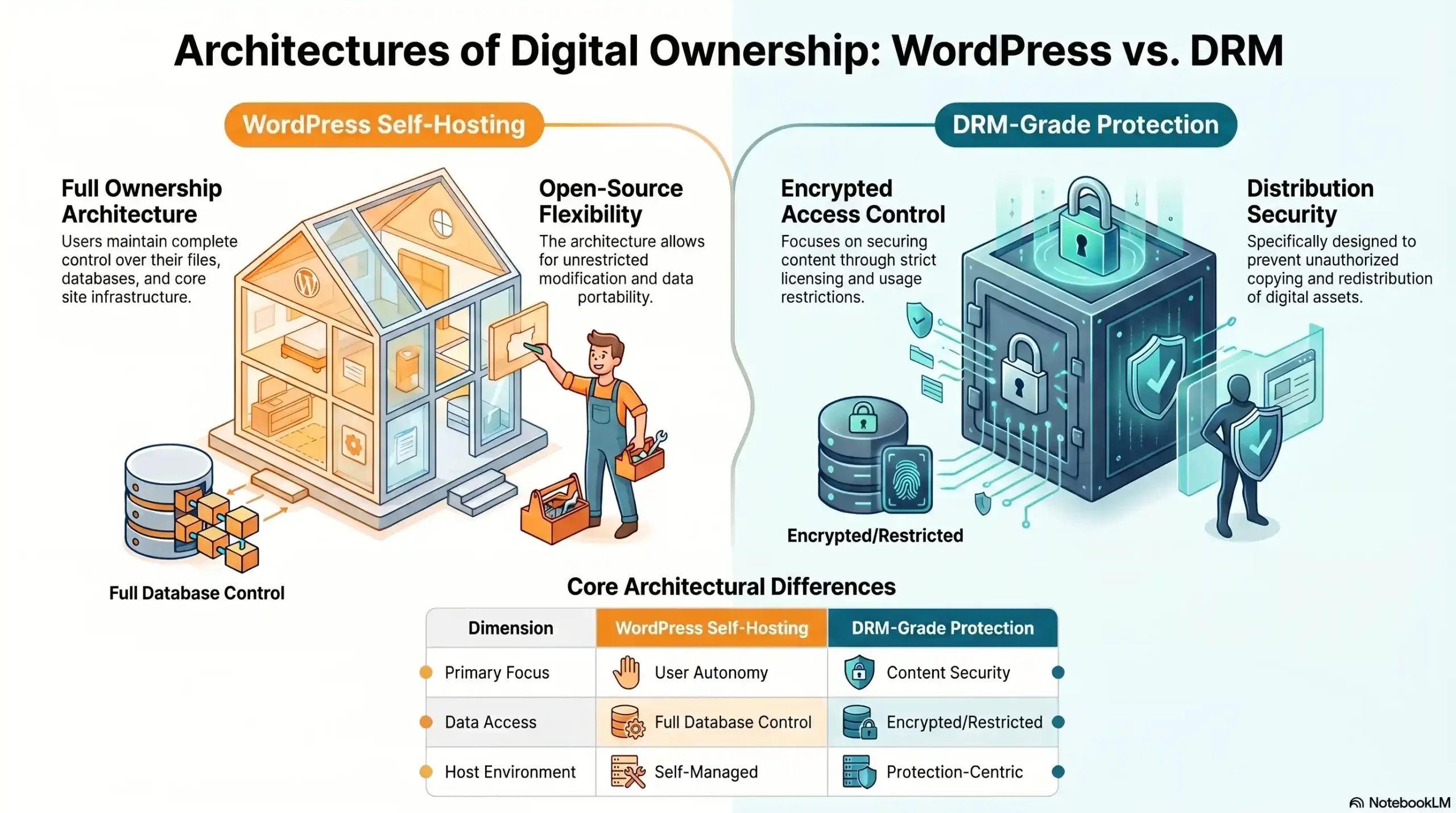
File-Level Encryption
- WordPress self-hosting: None
- DRM-grade protection (Inkrypt Videos): AES + DRM hardware-bound
Direct URL Access Prevention
- WordPress self-hosting: Exposed
- DRM-grade protection (Inkrypt Videos): Signed URLs, session-bound
Download Tool Protection
- WordPress self-hosting: Vulnerable
- DRM-grade protection (Inkrypt Videos): DRM blocks interception
Credential Sharing Detection
- WordPress self-hosting: None
- DRM-grade protection (Inkrypt Videos): Session binding + alerts
Screen Recording Deterrence
- WordPress self-hosting: None
- DRM-grade protection (Inkrypt Videos): Dynamic watermarking
Hotlink Prevention
- WordPress self-hosting: Partial (.htaccess)
- DRM-grade protection (Inkrypt Videos): Domain restriction enforced
Forensic Piracy Tracking
- WordPress self-hosting: None
- DRM-grade protection (Inkrypt Videos): Per-session watermark trail
Global CDN Performance
- WordPress self-hosting: Server-dependent
- DRM-grade protection (Inkrypt Videos): Amazon CloudFront CDN
LMS Plugin Integration
- WordPress self-hosting: Native
- DRM-grade protection (Inkrypt Videos): Full WordPress compatibility
Setup Time
- WordPress self-hosting: Immediate
- DRM-grade protection (Inkrypt Videos): Under 30 minutes
How Inkrypt Videos Solves the WordPress Security Problem
Inkrypt Videos was built for exactly this problem — the gap between what WordPress promises and what serious content protection actually requires.
The platform delivers multi-DRM encryption using Google Widevine, Apple FairPlay, and Microsoft PlayReady in a unified system, ensuring every student on every device is covered under the same cryptographic protection framework used by global streaming platforms. There is no separate integration required for Android vs. iOS vs. desktop. The protection is universal.
Dynamic watermarking is applied per session, per viewer — silently and invisibly — generating a unique forensic fingerprint for every single playback event. If content leaks, the source is traceable within hours. Not weeks. Hours.
Integration with WordPress takes under 30 minutes. Native plugin support for LearnDash, LifterLMS, Tutor LMS, and other major LMS platforms means course creators do not need a developer, a DevOps team, or a technical background to deploy enterprise-grade protection. The plugin installs like any other WordPress plugin. The security it delivers is anything but ordinary.
Real-time analytics provide visibility into viewer behavior — watch time, drop-off points, geographic distribution, and device breakdown — giving course creators the data intelligence to improve content while simultaneously monitoring for anomalous access patterns that may signal credential sharing or unauthorized distribution.
🛡️ Stop leaving your premium content unprotected.
Inkrypt Videos delivers the same DRM encryption used by Netflix and Disney — in a 30-minute WordPress integration.
🌐 Visit: inkryptvideos.com