
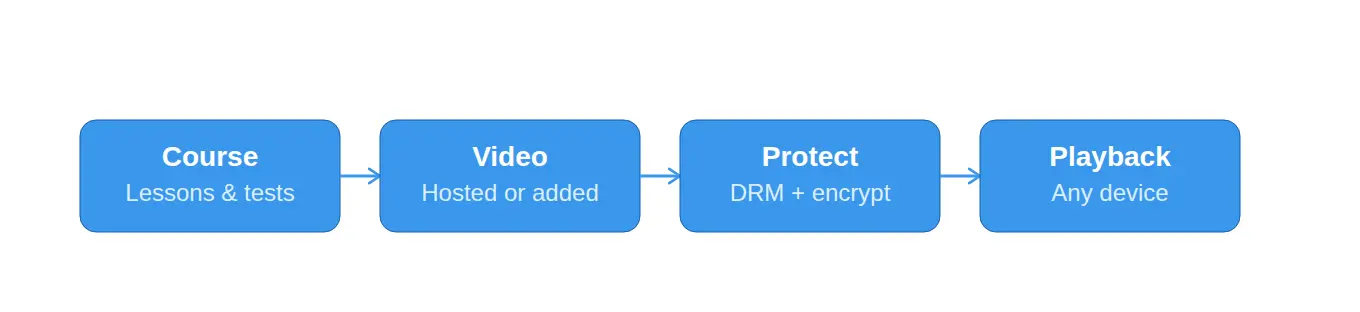
Teachable, Thinkific, Kajabi, LearnWorlds, and Podia are the main LMS platforms with video hosting genuinely built in — upload a video and it’s hosted, streamed, and tracked without any extra setup. WordPress-based LMS plugins like LearnDash and Tutor LMS don’t include video hosting at all, so “LMS with built-in video” and “LMS plugin” often mean two different things.
This guide compares the platforms that actually bundle video hosting, what their built-in hosting can’t do, and what to pair it with if you outgrow it.
The Best LMS Platforms with Built-In Video Hosting at a Glance
- Teachable — Best for creators starting fast with courses, payments, and video in one place.
- Thinkific — Best overall balance of course tools, branding, and selling features.
- Kajabi — Best all-in-one for courses plus email marketing and sales funnels.
- LearnWorlds — Best for interactive, engagement-heavy video and assessments.
- Podia — Best lean option for solo creators and small memberships.
1. Teachable — Best for Creators Starting Fast
Teachable bundles course building, video hosting, and payment processing into one hosted platform, making it a common starting point for creators who want to publish a course without stitching tools together.
- Video hosting, course structure, and checkout all included out of the box.
- Polished payment flow that most creators use without a separate plugin.
- Customization stays within Teachable’s templates rather than full design freedom.
2. Thinkific — Best Overall Balance
Thinkific pairs built-in video hosting with strong course-building and selling tools, and is frequently cited as the best overall pick for course creators who want branded delivery without managing a full website stack.
- Built-in video hosting alongside quizzes, drip content, and certificates.
- More affordable than Kajabi while still covering most selling features.
- Branded course delivery without needing a separate site build.
3. Kajabi — Best All-in-One for Marketing
Kajabi includes built-in video hosting as part of a broader all-in-one toolkit — courses, email marketing, sales funnels, and memberships under one roof — aimed at creators who want to run their whole business from one platform.
- Video, courses, email marketing, and funnels combined.
- Strongest sales and marketing tooling of the hosted platforms here.
- Typically the highest price point among the all-in-one options.
4. LearnWorlds — Best for Engagement
LearnWorlds includes built-in video hosting with a specific focus on interactive learning — clickable video, embedded assessments, and certificates designed to keep students engaged rather than just watching passively.
- Interactive video features beyond simple playback.
- Built-in assessments and certificates tied directly to video content.
- Strong choice when learner engagement matters as much as content delivery.
5. Podia — Best for Lean Operators
Podia keeps built-in video hosting simple and bundles it with memberships and digital downloads, aimed at solo creators who want to publish quickly without a large feature set to configure.
- Built-in video hosting alongside memberships and digital products.
- Simpler, faster setup than the larger all-in-one platforms.
- Fewer advanced marketing features than Kajabi.
What “Built-In Video Hosting” Actually Means
Here’s the part most comparisons skip: built-in video hosting on these platforms is usually powered by a third-party backend behind the scenes, not a custom-built system — and that backend typically comes with real limits worth knowing before you rely on it entirely.
Common limitations across hosted LMS platforms:
- File size and storage caps — Some plans cap individual video uploads at just a few gigabytes.
- Basic analytics — Enough to see views, but not always enough to see where students drop off or spot suspicious access patterns.
- No real DRM — Built-in hosting generally protects against casual sharing, not against someone determined to download and redistribute your course.
This doesn’t make these platforms a bad choice — it means “built-in” isn’t the same as “fully covered” once your course library or student count grows.
LMS Platforms Without Built-In Video Hosting (Worth Knowing)
Not every LMS bundles video — and mistaking one type for the other is a common early planning mistake for course creators comparing options.
- LearnDash — A WordPress plugin with powerful drip content and prerequisite logic, but no video hosting included. Videos need to be added through an external host.
- Tutor LMS — A newer WordPress plugin alternative to LearnDash, similarly focused on course structure rather than video hosting itself.
- Moodle — Open-source and self-hosted, giving maximum control, but video hosting has to be configured separately as part of the setup.
For these, pairing with a dedicated video host isn’t a workaround — it’s the standard setup.
Where Inkrypt Videos Fits In
Whether your LMS includes video hosting or not, Inkrypt Videos fills the gap both groups eventually run into: real DRM protection (Widevine, FairPlay, and PlayReady), a global CDN, and detailed analytics — without the file size caps or basic protection that come with most built-in LMS video.
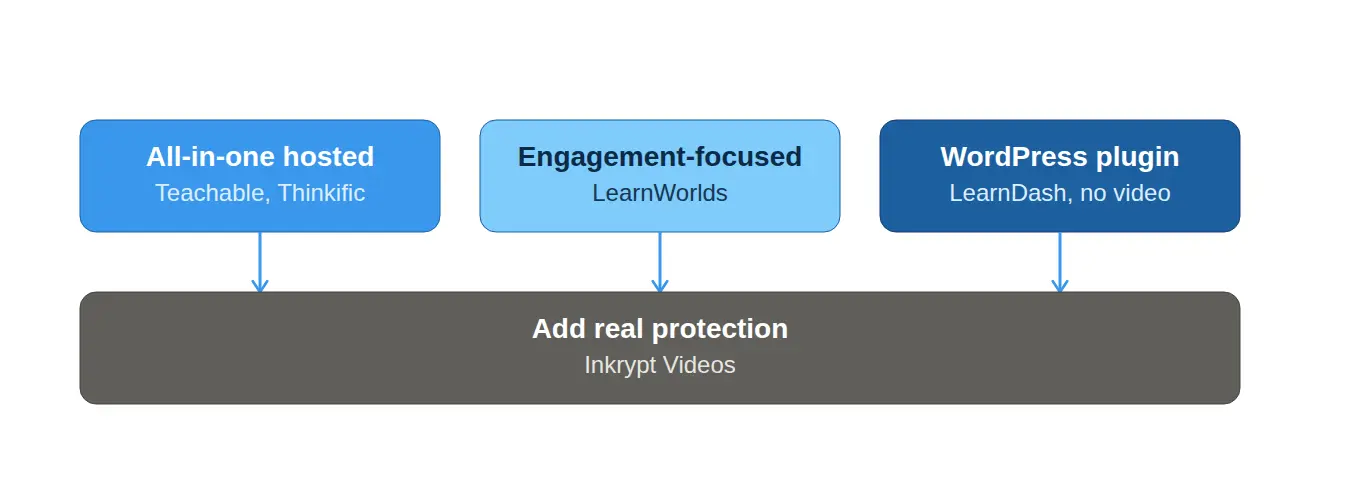
- For WordPress LMS users (LearnDash, Tutor LMS): a native integration path instead of building video hosting from scratch.
- For Teachable, Thinkific, or Kajabi users: an upgrade path once you hit storage limits or need real piracy protection for paid content.
- Read more in our breakdowns of DRM and how to protect video content from downloading.
How to Choose the Right LMS + Video Hosting Combination
- Want everything in one place, minimal setup → Teachable, Thinkific, or Podia.
- Selling is as important as teaching → Kajabi.
- Engagement and interactivity matter most → LearnWorlds.
- Already on WordPress, want full control → LearnDash or Tutor LMS, paired with a dedicated video host.
- Protecting paid course content is a priority → any of the above, paired with DRM-protected hosting.
If you’re also comparing dedicated hosting platforms directly, our roundup of the best live streaming platforms covers the same security and delivery considerations in more depth.