
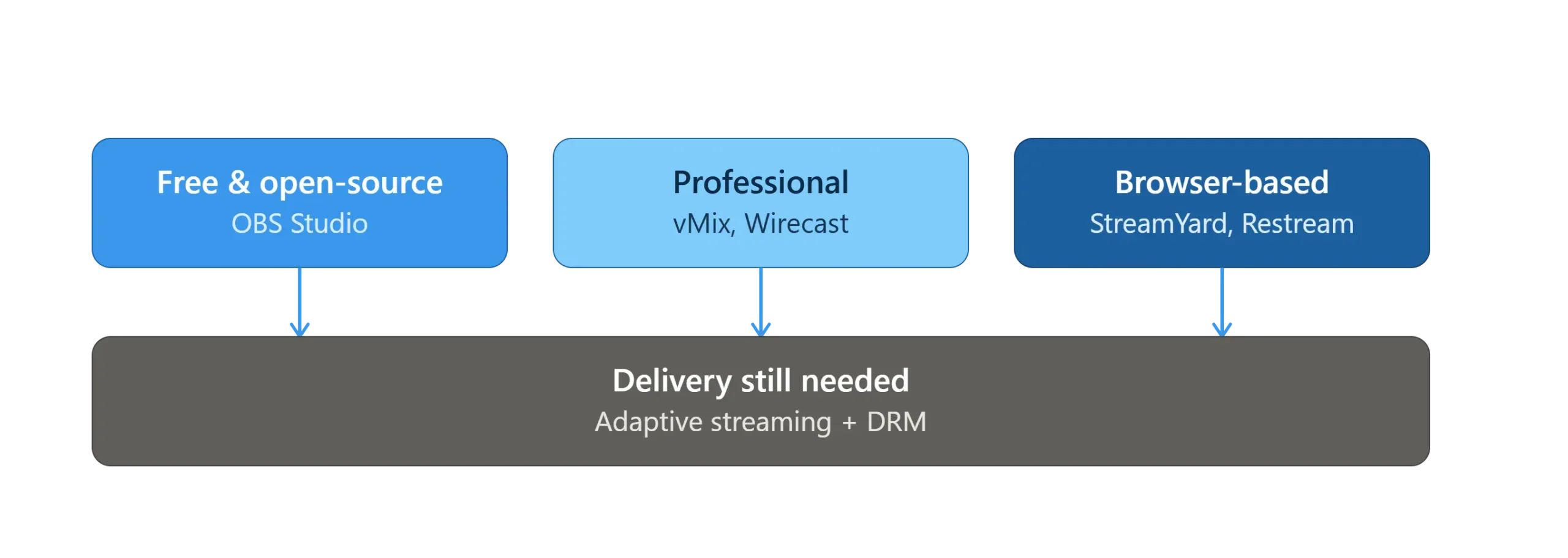
The best live streaming software for most people is OBS Studio for free, flexible production; vMix or Wirecast for professional multi-camera events; and StreamYard or Restream for easy browser-based streams with remote guests. Which one fits depends on your budget, your production needs, and how technical you’re willing to get.
This guide breaks down the top live streaming software tools for 2026, what each one is actually built for, and — just as important — what these tools don’t do: get your stream reliably and securely in front of viewers.
The Best Live Streaming Software at a Glance
- OBS Studio — Best free, open-source option for full production control.
- Streamlabs — Best for gaming and monetized creator channels.
- vMix — Best professional multi-camera production on Windows.
- Wirecast — Best professional production for Mac or mixed-OS teams.
- StreamYard — Best browser-based tool for remote guests and easy multistreaming.
- Restream — Best for broadcasting to multiple platforms at once.
- XSplit Broadcaster — Best for gaming creators who want built-in chroma key.
1. OBS Studio — Best Free, Open-Source Option
OBS Studio is free, open-source software that captures and mixes video and audio sources into scenes, then streams the output over RTMP or SRT. It’s the most widely used starting point for live streaming because there’s no cost barrier and no functionality locked behind a paywall.
- Cross-platform: runs on Windows, Mac, and Linux.
- Fully scene- and source-based production, with an extensive plugin ecosystem.
- Community-driven support rather than official customer service.
- Runs well even on modest hardware, which makes it accessible for smaller setups.
For a full walkthrough of settings, scenes, and troubleshooting, see our guide to using OBS Studio for live streaming.
2. Streamlabs — Best for Gaming and Monetized Creators
Streamlabs is built on an OBS-based engine but adds creator-focused tools on top — alerts, overlays, widgets, and monetization features like tipping and sponsorship integrations. It’s aimed squarely at streamers who want a polished, gaming-ready setup without assembling it themselves.
- Free tier available, with paid upgrades for additional features.
- Built-in monetization tools (alerts, tips, sponsorships) not native to plain OBS.
- Strong multistreaming support to platforms like YouTube and Facebook.
- Primarily built for Windows.
3. vMix — Best Professional Multi-Camera Production
vMix is a professional live production and switching tool built for Windows, designed for multi-camera events, broadcasts, and productions that need real-time switching, graphics, and audio mixing in one application. It’s a step up from OBS for teams that need broadcast-style control.
- Tiered licensing from a free Basic edition up through more advanced paid tiers.
- Supports a large number of simultaneous camera and video inputs.
- Built-in graphics, picture-in-picture, and audio routing.
- Popular for live events, sports, and corporate productions.
4. Wirecast — Best for Mac and Mixed-OS Teams
Wirecast, from Telestream, is professional live production software built for scene-based switching, overlays, and multi-camera productions — and unlike vMix, it runs on both Windows and Mac. Higher tiers add features like PTZ camera control and remote guest conferencing.
- Available for both Windows and Mac.
- Scene-based switching with overlay and picture-in-picture support.
- Pro tier adds virtual sets, PTZ camera control, and remote guest features.
- Licensing terms vary by tier — check current pricing directly on their site before committing.
5. StreamYard — Best Browser-Based Option
StreamYard runs entirely in the browser, with no software to install. It’s built around making it easy to bring remote guests onto a live stream and broadcast to multiple destinations at once, which makes it a common choice for podcasts, webinars, and interview-style streams.
- No downloads — works directly in a browser.
- Simple remote guest links, ideal for interviews and panels.
- Built-in multistreaming to several platforms simultaneously.
- Lower production ceiling than OBS, vMix, or Wirecast, but far less setup.
6. Restream — Best for Multistreaming
Restream is a cloud-based service focused specifically on broadcasting one stream to many platforms at the same time, without running multiple separate streaming sessions. Many creators pair it with OBS or another production tool rather than using it as a standalone production suite.
- Purpose-built for simultaneous multi-platform broadcasting.
- Cloud-based, so it offloads some processing from your local machine.
- Often used alongside OBS or Streamlabs rather than in place of them.
7. XSplit Broadcaster — Best for Gaming Creators
XSplit Broadcaster offers scene management and encoding similar to OBS, with built-in chroma key and greenscreen-style compositing aimed at streamers who want production polish without assembling a separate keying setup.
- Scene- and source-based workflow with built-in chroma key.
- Geared toward gaming and creator-style streaming setups.
- Alternative to OBS for streamers who want more built-in visual tools out of the box.
What Live Streaming Software Doesn’t Handle: Secure Delivery
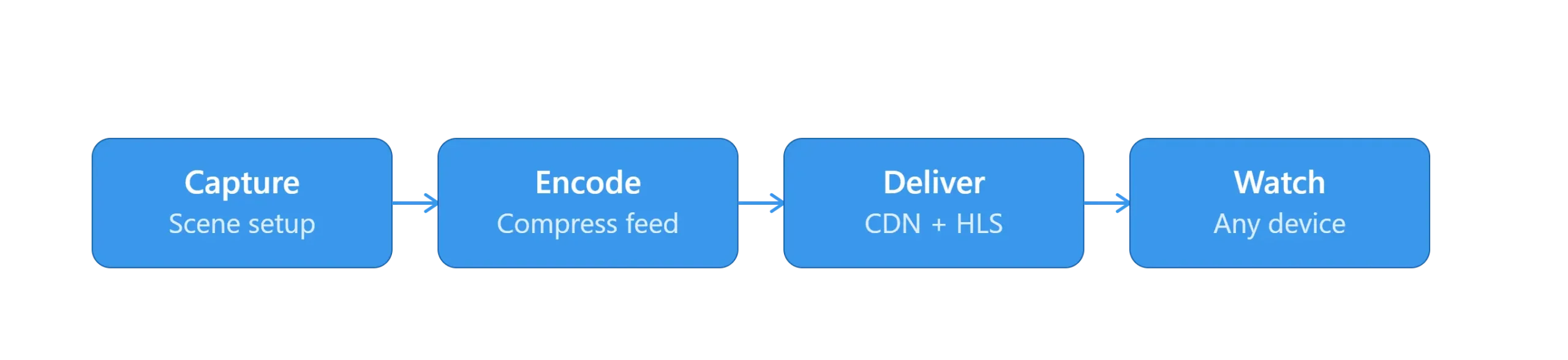
Live streaming software controls what gets captured and produced — it doesn’t control how reliably or securely that stream reaches your viewers once it leaves your computer. That’s a separate layer, and skipping it is where a lot of otherwise well-produced streams fall apart.
Once your software encodes the stream, it still needs:
- Adaptive delivery — so viewers on a slow connection don’t get stuck buffering, using the same HLS and M3U8 technology that powers on-demand video.
- Content protection — especially for paid webinars, courses, or premium events, where DRM keeps the stream from being ripped and redistributed.
- A CDN to keep latency and load times low for a distributed audience, rather than serving every viewer from one origin server.
This is the layer Inkrypt’s video hosting features are built around — pairing with whichever production software you choose to handle the delivery side securely.
Already picked your production software? Pair it with secure, DRM-protected delivery.