

M3U8 is the plain-text playlist format behind HTTP Live Streaming (HLS) — the technology powering most video streaming today. Instead of one large video file, HLS breaks a video into small segments, and the M3U8 playlist lists those segments in order so a player knows exactly what to fetch and play, and when.
For the broader picture of how HLS delivery works end-to-end, see our guide to HLS streaming.
This guide covers how M3U8 playlists work, why HLS breaks video into segments instead of one file, how adaptive bitrate streaming keeps video playing smoothly on any connection, and what it takes to deliver secure HLS streaming from your own site.
How Does an M3U8 Playlist Work?
An M3U8 playlist doesn’t contain any video — it’s a list of instructions telling the player which segment files to download, in what order, and how long each one plays. The actual video lives in separate small files the playlist points to.
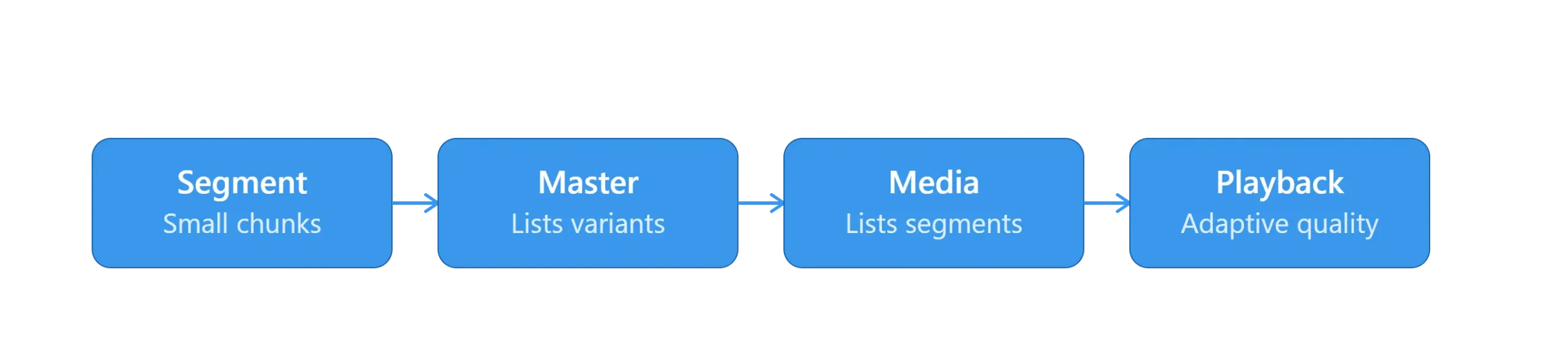
A typical HLS delivery involves:
- Segmenting — Source video is encoded and cut into short chunks, usually 2-10 seconds each, traditionally in MPEG-TS format or the newer fMP4/CMAF format.
- Playlisting — Segments are listed in order inside a .m3u8 text file, each entry tagged with its duration.
- Fetching — The player downloads the playlist first, then requests each listed segment in sequence over standard HTTP.
- Updating (for live streams) — For live content, the playlist keeps updating with new segments as they’re produced; for on-demand video, it’s a fixed list from start to finish.
Master Playlist vs. Media Playlist — What’s the Difference?
An HLS stream almost always uses two layers of M3U8 playlist working together, and mixing them up is the most common source of confusion. The master playlist (Apple’s newer spec calls it the multivariant playlist) lists every available quality version of the video. The media playlist lists the actual segments for one specific quality version.
Here’s how they interact:
Next, the pipeline that turns a source video into something playable:
- The player reads the master playlist once, at the start, to see what quality options exist (e.g. 1080p, 720p, 480p) and their bandwidth requirements.
- Based on the viewer’s connection, the player picks one variant and starts reading that variant’s media playlist.
- The media playlist is what the player re-fetches repeatedly to get the next segments — continuously for live streams, once for on-demand video.
How HLS Uses M3U8 for Adaptive Bitrate Streaming
Adaptive bitrate streaming (ABR) is what lets a video keep playing smoothly even when a viewer’s connection changes mid-stream, and M3U8’s master/media structure is what makes it possible. Because the master playlist lists every quality variant upfront, the player can switch to a different media playlist — a lower bitrate when bandwidth drops, a higher one when it improves — without restarting playback or reloading the page.
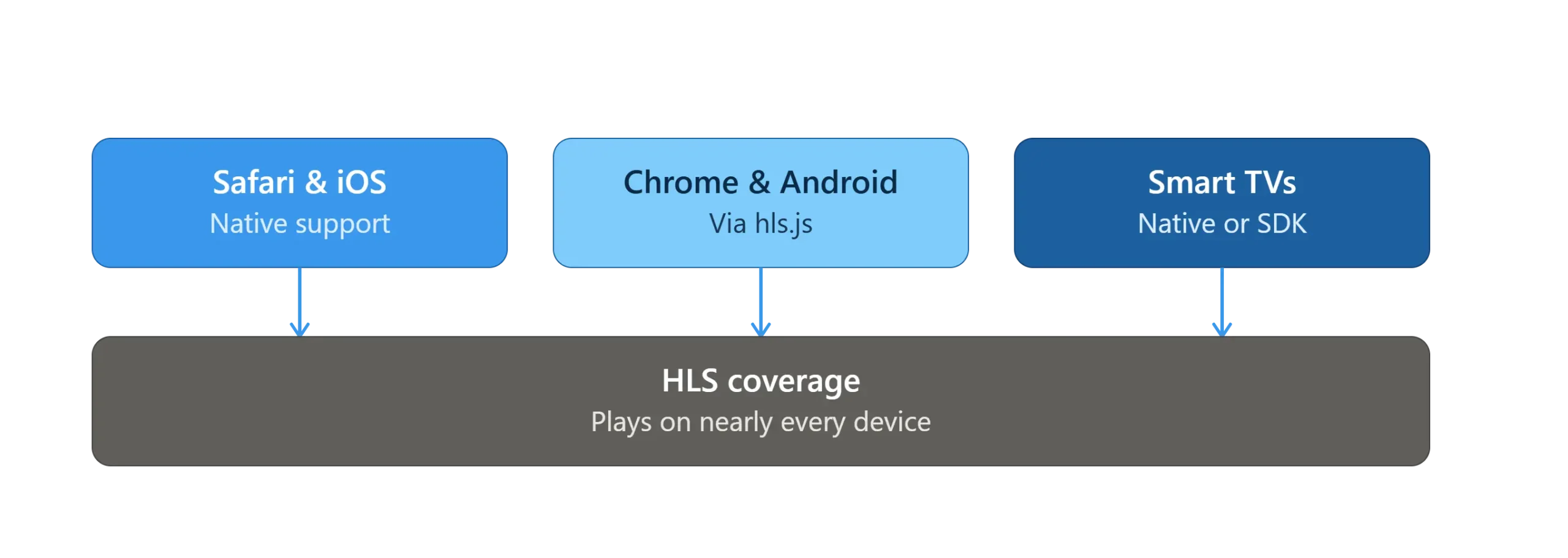
This is exactly the problem HLS was built to solve: Apple introduced it for the original iPhone because mobile networks were unreliable enough that a single large video file would constantly stall or fail. Segmenting video and switching quality on the fly let playback recover from network drops and start almost instantly instead of waiting for a full download.
Is M3U8/HLS Secure?
An M3U8 playlist and its segments aren’t secure by default — anyone with the playlist URL can typically fetch the segments unless protection is added. HLS supports segment-level AES-128 encryption through a key tag in the playlist, which is a meaningful first layer. For content where piracy is a real risk — paid courses, enterprise training, premium subscriptions — that’s usually paired with full DRM (Widevine, FairPlay, PlayReady), which we cover in What Is DRM? Digital Rights Management Explained. Inkrypt’s video security features layer both together automatically.
Want AES-128 and full multi-DRM layered automatically on your HLS streams?