
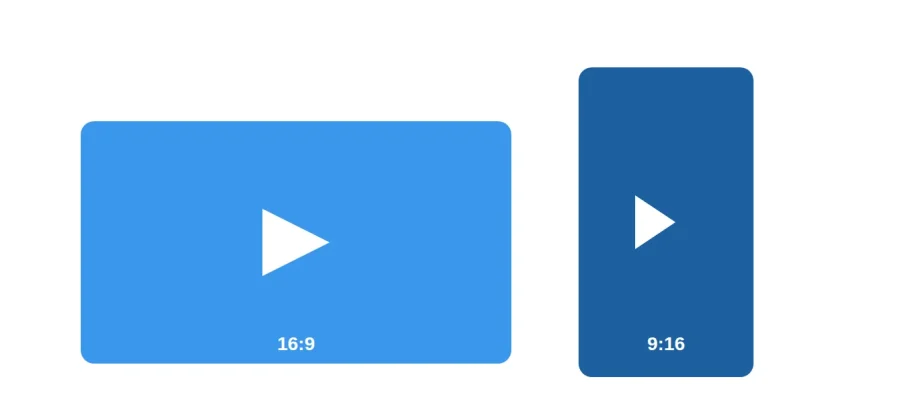
YouTube runs on two main formats: standard long-form video at 16:9 (1920×1080), and Shorts at 9:16 (1080×1920). Getting the aspect ratio right matters beyond just looking correct — YouTube uses it to decide which content system your upload lands in, which affects everything from the player layout to how it gets recommended.
This guide covers the exact dimensions for standard videos, Shorts, thumbnails, and channel art, verified against YouTube’s own help documentation.
YouTube Video Dimensions at a Glance
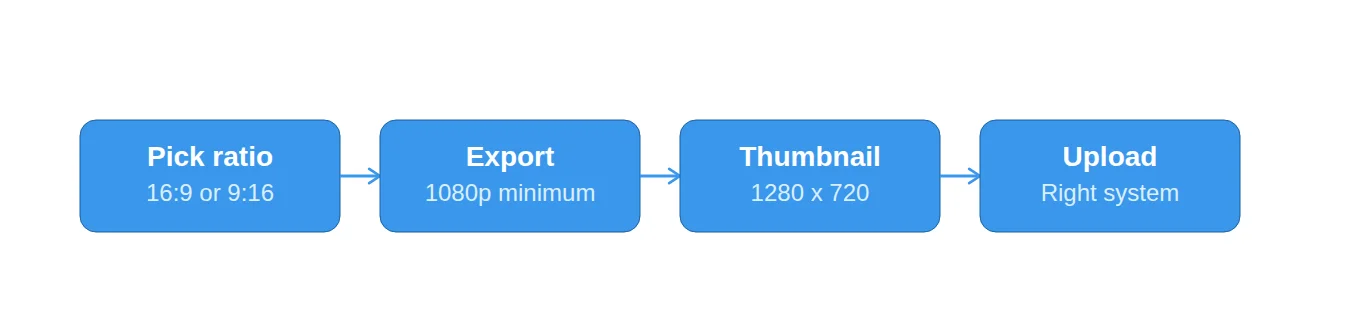
- Standard video: 16:9 aspect ratio, 1920×1080 pixels (1080p) recommended.
- Shorts: 9:16 aspect ratio, 1080×1920 pixels.
- Video thumbnail: 1280×720 pixels, minimum width 640px, under 2MB.
- Channel banner: 2560×1440 pixels upload, with a ~1546×423 safe zone.
- Profile photo: 800×800 pixels.
Standard YouTube Videos (Long-Form)
YouTube’s default player aspect ratio on a computer is 16:9, and 1920×1080 (1080p) is the recommended resolution for most creators — sharp enough for the vast majority of screens without the larger file sizes that come with 4K. YouTube does accept uploads up to 8K, but per YouTube’s own help documentation, the platform has been phasing out playback support for resolutions between 4K and 8K since 2022, so there’s limited practical benefit to uploading above 4K today.
- Aspect ratio: 16:9
- Recommended resolution: 1920×1080 (1080p)
- Format: MP4 with H.264 is the safest default
- Frame rate: match your original recording — don’t resample
YouTube Shorts
YouTube Shorts uses a vertical 9:16 aspect ratio at 1080×1920 pixels — the inverse of standard video. YouTube has extended the Shorts length limit over time, from an original 60 seconds up to 3 minutes on current guidance, so it’s worth double-checking the exact limit in YouTube Studio before you plan a Shorts-length edit, since sources vary on the current cutoff.
- Aspect ratio: 9:16
- Resolution: 1080×1920
- Content shot square or vertical at 3 minutes or shorter is generally auto-classified into the Shorts system
YouTube Thumbnail Dimensions
Custom thumbnails should be 1280×720 pixels (16:9), with YouTube requiring a minimum width of 640px and a file size under 2MB. If you don’t upload a custom thumbnail, YouTube will auto-generate one from a frame of your video — worth avoiding for anything you want a strong click-through rate on, since auto-generated frames rarely make the best first impression.
- Recommended size: 1280×720
- Minimum width: 640px
- Max file size: 2MB
- Format: JPEG or PNG
Channel Banners and Profile Photos
Channel art follows different rules than video content since it has to display cleanly across desktop, mobile, and TV simultaneously. YouTube recommends uploading a channel banner at 2560×1440 pixels, but only the center ~1546×423 pixel area is guaranteed visible across every device — text or logos outside that safe zone risk getting cropped on some screens. Profile photos should be 800×800 pixels.
What Happens If You Use the Wrong Aspect Ratio?
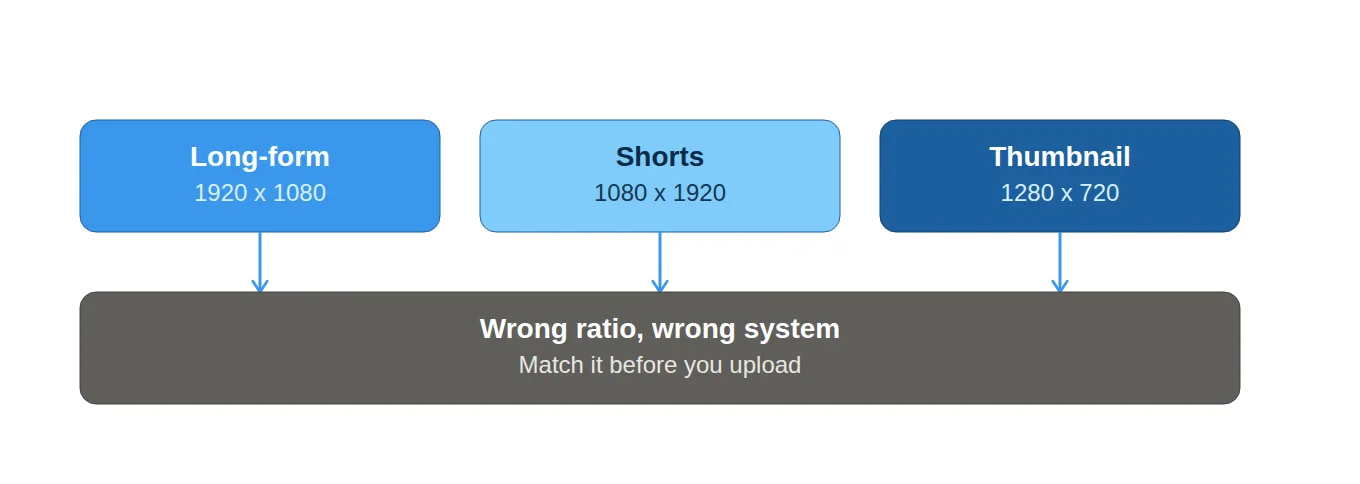
Uploading the wrong aspect ratio doesn’t break your video, but it does change how it displays and where it lands. On desktop, a non-16:9 video gets pillarboxed or letterboxed — black bars added to fill the 16:9 player — while YouTube’s mobile app adapts more flexibly to fill the screen. More importantly, aspect ratio and length together determine which content system a video lands in: square or vertical content at 3 minutes or under is generally treated as a Short, while anything wider or longer goes into standard long-form.
Choosing the Right Aspect Ratio for Your Content
- Courses, webinars, and tutorials → 16:9, matching standard playback across devices.
- Promotional clips and social teasers → 9:16, built for Shorts and mobile-first viewing.
- Repurposing long-form into Shorts → crop or reframe rather than adding black bars, which looks unpolished and can reduce effective resolution.
- Live streams → 16:9 is standard, though check your encoder’s resolution and protocol settings against YouTube’s live streaming requirements before going live.
Where Delivery Fits In
Getting dimensions and aspect ratio right is about how your video displays — it’s a separate concern from how reliably it’s delivered to viewers. If you’re hosting video outside YouTube, on your own site or course platform, the same 16:9 or 9:16 source still needs to be packaged for adaptive streaming so it plays smoothly across devices and connections, the way YouTube handles it automatically behind the scenes.