
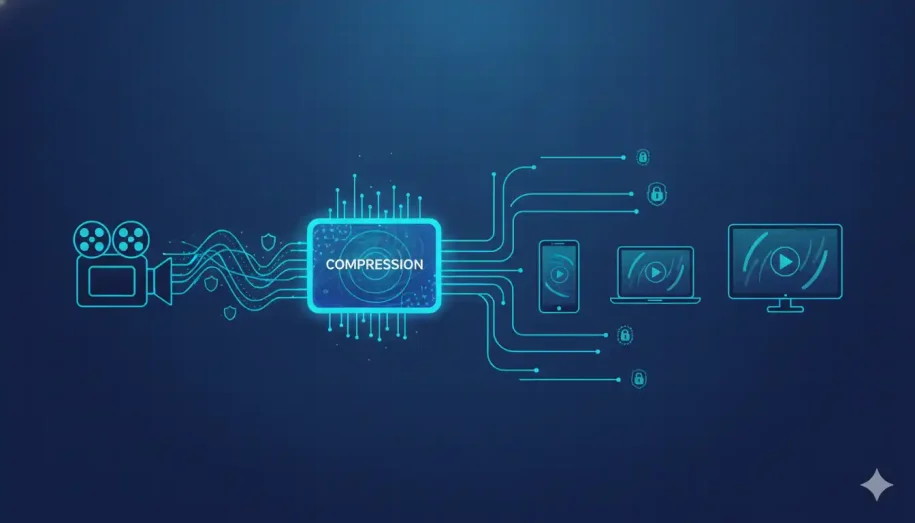
Table of Contents
ToggleVideo encoding is the process of compressing raw footage into a digital format for the first time, using a codec like H.264 or HEVC. Video transcoding is the conversion of an already-encoded file into a different format, resolution, or bitrate. In short: encoding is the first compression, and transcoding is every conversion that happens after it. Both are essential stages of the same video pipeline — they just run at different points and serve different goals.
Encoding vs. Transcoding at a Glance
If you’ve spent any time around video, you’ve heard “encoding” and “transcoding” used as if they’re interchangeable. They aren’t — but the confusion is understandable, because both involve a codec and both change how your video is packaged.
Here’s the mental model to hold onto: encoding turns raw camera footage into a usable compressed file. Transcoding takes that compressed file and converts it into something else. One is the starting line; the other is everything that follows on the way to your viewer’s screen.
That distinction isn’t academic. It quietly decides whether your video buffers or streams flawlessly, whether it plays on a five-year-old phone, and whether it stays protected from the moment it leaves your hands. Let’s break each one down.
For the broader picture on transcoding specifically, including live vs. on-demand workflows, see our dedicated guide.
What Is Video Encoding?
Video encoding is the process of converting raw, uncompressed video into a compressed digital format. When a camera sensor captures footage, the resulting data is enormous — far too large to store efficiently or stream over the internet. Encoding solves that.
How Encoding Works
Encoding relies on a codec (short for coder-decoder) — software or hardware that compresses the video by discarding redundant data the human eye won’t miss and packaging what remains into an efficient stream. The goal is simple: dramatically reduce file size while keeping quality acceptable.
Common Codecs and Formats
The codec defines how the video is compressed; the container defines how it’s wrapped. The most widely used codec is H.264 (AVC) for its near-universal device support. HEVC (H.265), VP9, and the newer AV1 push compression efficiency further, shrinking files at the same quality. These get packaged into containers like MP4, MKV, or MOV, often paired with AAC audio.
Why Encoding Matters
Without encoding, sharing and streaming video would be painfully slow. Encoding is what makes a multi-gigabyte recording small enough to store, fast enough to transmit, and smooth enough to watch — the foundation everything else is built on.
Want encoding handled correctly the first time? See how Inkrypt’s platform takes the guesswork out of preparing your video for flawless delivery.
What Is Video Transcoding?
Video transcoding is the process of converting an already-encoded file from one format, codec, resolution, or bitrate into another. If encoding is the first compression, transcoding is the reshaping that happens afterward to fit a specific need.
How Transcoding Works
Technically, transcoding is a decode-then-re-encode cycle. The existing compressed file is first decoded back into an uncompressed state, then re-encoded into the new target format. This is why transcoding is more computationally demanding than simply copying a file — you’re effectively running an encode all over again.
When You Need Transcoding
You transcode whenever your single encoded master needs to become something else for delivery. The most common triggers are device compatibility (an older smartphone or smart TV may not support your original codec), format conversion (turning VP9 into H.264, for instance), and bitrate adjustment to match a viewer’s available bandwidth.
Live vs. On-Demand Transcoding
For video-on-demand, transcoding happens ahead of time. For live streaming, it happens in real time — a single high-bitrate broadcast is transcoded on the fly into multiple lower-bitrate versions so every viewer gets a stream that fits their connection. Real-time transcoding adds some latency, which is the trade-off for that flexibility.
Encoding vs. Transcoding: The Key Differences
The cleanest way to separate the two is by four questions.
What goes in? Encoding takes raw footage as its input. Transcoding takes already-compressed video.
What’s the purpose? Encoding exists to make video small and streamable in the first place. Transcoding exists to adapt that video — for different devices, networks, or platforms.
When does it happen? Encoding runs once, at the start of the workflow. Transcoding runs later, often many times, as your content meets different delivery requirements.
What does it cost? Encoding is a one-time compression. Transcoding is heavier, because every conversion is a full decode-and-re-encode — meaningful CPU, time, and infrastructure cost at scale.
Hold those four lines in mind and you’ll never confuse the terms again: raw vs. compressed in, first compression vs. later adaptation, once vs. repeatedly, and light vs. heavy.
Don’t Forget Transmuxing and Transrating
Most explanations stop at two terms. In a real pipeline, two more matter — and knowing them marks the difference between a casual understanding and a professional one.
Transmuxing
Transmuxing (transcoding’s lightweight cousin) changes only the container, leaving the underlying video and audio data untouched. Rewrapping an H.264 file from MP4 into an HLS-friendly format is transmuxing. Because nothing is re-encoded, it’s nearly instant and uses minimal CPU — ideal when the codec is already compatible and only the delivery wrapper needs to change.
Transrating
Transrating is a focused type of transcoding that changes only the bitrate — without altering resolution or format. It’s how you generate several quality levels of the same video to fit different bandwidths, the building blocks of an adaptive stream.
Tired of stitching separate tools together? Inkrypt handles encoding, transcoding, transmuxing, and secure delivery in one integrated workflow.
How These Processes Power Adaptive Streaming
This is where the pipeline pays off for your audience — and it’s the core of building a video hosting platform that performs at scale.
Building the Bitrate Ladder
Transcoding (and transrating) produce multiple renditions of your video at different resolutions and bitrates — say 1080p, 720p, and 480p. Together these form a bitrate ladder, the menu of options a player can choose from.
ABR + CDN = Zero-Buffering Global Delivery
Adaptive bitrate streaming (ABR) lets the player switch between those renditions in real time based on each viewer’s network conditions. Pair that ladder with CDN-backed video delivery, and your content reaches audiences worldwide without the buffering that drives viewers — and students — away.
Reaching Every Device, Even Older Ones
Because transcoding produces device-compatible formats at different resolutions and quality levels, your video plays cleanly across smartphones, tablets, desktops, and smart TVs — including the older hardware that competitors quietly leave behind. A capable cloud video hosting platform automates all of this, so broader compatibility means a broader, happier audience.
The Step Everyone Forgets: Securing Your Pipeline
Here’s what almost every explainer skips: every stage of this pipeline is a point where unprotected content can be intercepted, copied, or leaked.
Every Encode/Transcode Step Is a Leak Risk
The moment your video is decoded, re-encoded, repackaged, and pushed across a network, it passes through systems and links where an unprotected file is exposed. For premium course creators and publishers, that exposure is lost revenue waiting to happen — credential sharing, illegal downloads, and re-uploads of content you spent months producing. Strong anti-piracy strategies start with recognizing the pipeline as a security surface, and knowing how to protect your content from unauthorized downloading.
Where Protection Belongs
Real protection is applied as part of the pipeline, not bolted on afterward. DRM encryption ensures only authorized viewers can decrypt and play your content, while dynamic, forensic watermarking stamps each stream with traceable identifiers — so if a leak does occur, you can identify the source. The right time to secure content is at the packaging stage, alongside transcoding, which is exactly why choosing the right DRM software matters.
Quality and Reach Mean Nothing If the Content Gets Stolen
You can have flawless encoding, a perfect bitrate ladder, and global CDN delivery — and still lose if your content walks out the door. A pipeline isn’t just a quality system; it’s a security surface, and professional-grade video encryption is what keeps it sealed. Treat it like one.
Your content deserves a Digital Guardian. Protect and deliver your premium video with Inkrypt’s secure, high-performance pipeline — built so creators never have to choose between reach and protection.
Which One Do You Actually Need?
The practical rule of thumb:
Encode when you’re creating a deliverable file from raw source footage for the first time. Transcode when you need to adapt that file for different devices, platforms, or network conditions. Transmux when the codec is already fine and only the container needs to change — the fastest, cheapest option. And reach for transrating when you only need to produce different bitrate versions for adaptive streaming.
In most real-world streaming setups, you’re not choosing one — you’re running encoding first, then transcoding into a full adaptive ladder for delivery.
Final Takeaway
Encoding is the first compression of raw video; transcoding is every conversion after it; transmuxing and transrating are the lightweight specialists that round out the workflow. Together they determine your video’s quality, its reach across devices, and — if you’re paying attention — its security. Understanding the difference isn’t trivia. It’s the foundation of delivering content that’s smooth, universally watchable, and protected from the people who’d rather steal it than pay for it.
Frequently Asked Questions
No. Encoding compresses raw footage into a digital format for the first time, while transcoding converts an already-encoded file into a different format, resolution, or bitrate. Encoding is the initial compression; transcoding is any conversion that happens afterward.
Transcoding can slightly reduce quality, because it decodes and re-encodes the video — a process that isn’t perfectly lossless. Done with the right settings and a modern codec, the quality loss is minimal and usually unnoticeable, while the gains in compatibility and streamability are significant.
In most cases, yes. Transcoding creates multiple versions of your video at different bitrates and resolutions, which is what lets streaming platforms deliver smooth playback across varied devices and internet speeds. Without it, many viewers would face buffering or compatibility issues.
Transcoding re-encodes the actual video and audio data to change the codec, resolution, or bitrate. Transmuxing only changes the container (the wrapper) while leaving the encoded data untouched. Transmuxing is far faster and lighter because nothing is re-compressed.
Yes. Encoding happens first and stands on its own — it’s simply compressing raw footage into a usable file. Transcoding is only needed afterward if that encoded file must be adapted for a different device, platform, format, or bitrate.
Transcoding is resource-intensive because it’s a full decode-then-re-encode cycle. The system must decompress the original file completely and then compress it again into the new format, which demands considerable CPU power and time — especially across multiple renditions.
Yes. Adaptive bitrate streaming relies on having several versions of a video at different bitrates and resolutions. Transcoding is what generates those versions, allowing the player to switch quality in real time based on each viewer’s connection.
H.264 remains the safest choice for the widest device compatibility. HEVC (H.265) and AV1 offer better compression and quality at lower bitrates, making them strong for high-resolution or bandwidth-sensitive delivery — though AV1 support on older devices is still catching up.
Costs scale with the number of renditions, video length, resolution, and whether transcoding is live or on-demand. Because each conversion consumes CPU and infrastructure, high-volume libraries can become expensive — which is why many creators use a managed platform that bundles transcoding with delivery.
A bitrate ladder is the set of multiple video renditions — each at a different resolution and bitrate — generated for adaptive streaming. The player automatically selects the rung that best matches the viewer’s current bandwidth, then moves up or down as conditions change.
It can. Every decode and re-encode step is a moment where unprotected content is exposed. Applying DRM encryption and dynamic watermarking at the packaging stage ensures your video stays protected throughout the pipeline, not just after delivery.
Resources & Citations
- ITU-T Recommendation H.265: The official specification for the HEVC codec referenced in the encoding section above.
- Alliance for Open Media — AV1 Specification: The consortium behind the royalty-free AV1 codec mentioned above.
- ISO/IEC 14496-14 (MP4 Container Standard): The formal standard defining the MP4 container discussed throughout this guide.
- IETF RFC 8216 (HLS Specification): The formal specification for HLS, relevant to the adaptive bitrate streaming section above.
Disclaimer: This article is for general informational purposes only and reflects best practices in video processing at the time of writing. Specific codec, format, and security requirements vary by use case — evaluate your own needs before implementing any solution.