
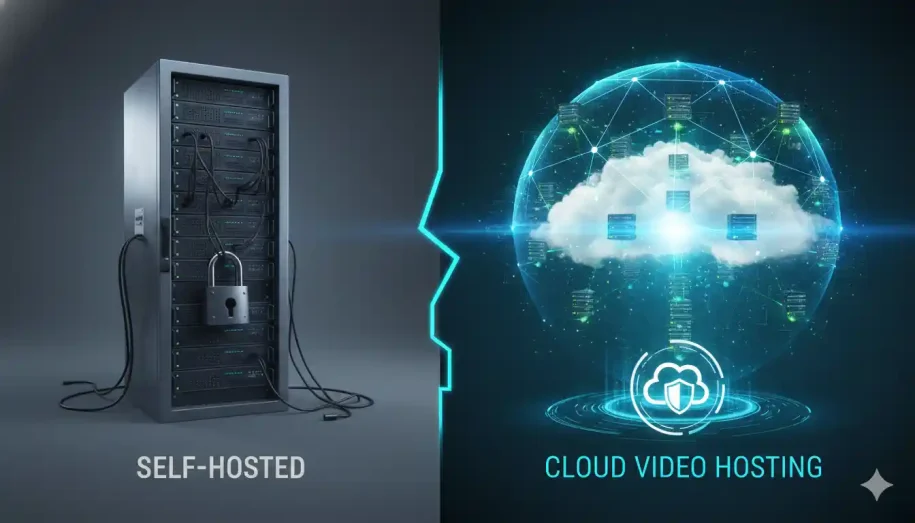
Cloud video hosting outperforms self-hosting for most content creators and businesses. While self-hosting offers infrastructure control, it carries significant security vulnerabilities, high maintenance costs, and scalability limitations. Cloud video hosting delivers enterprise-grade DRM encryption, global CDN performance, and forensic watermarking — without requiring technical expertise. For creators protecting premium content, cloud hosting is the clear, measurable choice.
You have built something valuable. Hours of premium course content, proprietary training material, or exclusive media that represents real intellectual and financial investment. Now comes the question that keeps serious creators awake at night: where do you host it, and how do you make sure nobody steals it?
The self-hosted vs. cloud video hosting debate is not simply a technical decision. It is a business-critical security and performance choice that directly impacts your revenue, your audience’s experience, and the long-term survival of your content business.
This guide cuts through the noise with a definitive, expert-led comparison — so you can make the right call with confidence.
What Is Self-Hosted Video Hosting?
How Self-Hosted Video Servers Work
Self-hosted video hosting means you own and manage the physical or virtual server infrastructure that stores and delivers your video content. You are responsible for everything: server hardware or virtual machine provisioning, storage capacity, bandwidth allocation, security configurations, software updates, and uptime management.
Your videos are served directly from your server to your viewers — with no third-party platform sitting in between. That sounds appealing in theory. In practice, it means every technical failure, security gap, and performance bottleneck is entirely your responsibility to diagnose and fix.
Who Typically Chooses Self-Hosting?
Self-hosting is typically chosen by large enterprises with dedicated IT departments, organizations operating in highly regulated environments with strict data sovereignty requirements, or technically advanced teams who require absolute control over their infrastructure stack. For the vast majority of content creators, online educators, and growing media businesses, this level of technical overhead is neither practical nor cost-effective.
What Is Cloud Video Hosting?
How Cloud Video Delivery Works
Cloud video hosting platforms manage all server infrastructure on your behalf, delivering your content through globally distributed Content Delivery Networks (CDNs). When a viewer presses play, the platform automatically routes that request to the nearest server node — minimizing latency and eliminating buffering regardless of the viewer’s geographic location.
Advanced cloud platforms layer enterprise-grade security protocols on top of this delivery infrastructure — including Digital Rights Management (DRM) encryption, dynamic watermarking, token-based authentication, and geo-blocking — transforming raw video delivery into a fully protected, forensic-grade content distribution system. Adaptive bitrate streaming further ensures that playback quality automatically adjusts to each viewer’s connection speed, delivering the best possible experience without manual configuration.
Who Is Cloud Hosting Built For?
Cloud video hosting is purpose-built for online course creators, enterprise media companies, premium content publishers, and any business whose revenue depends on secure, high-performance video delivery at scale — without requiring an internal IT team to manage it.
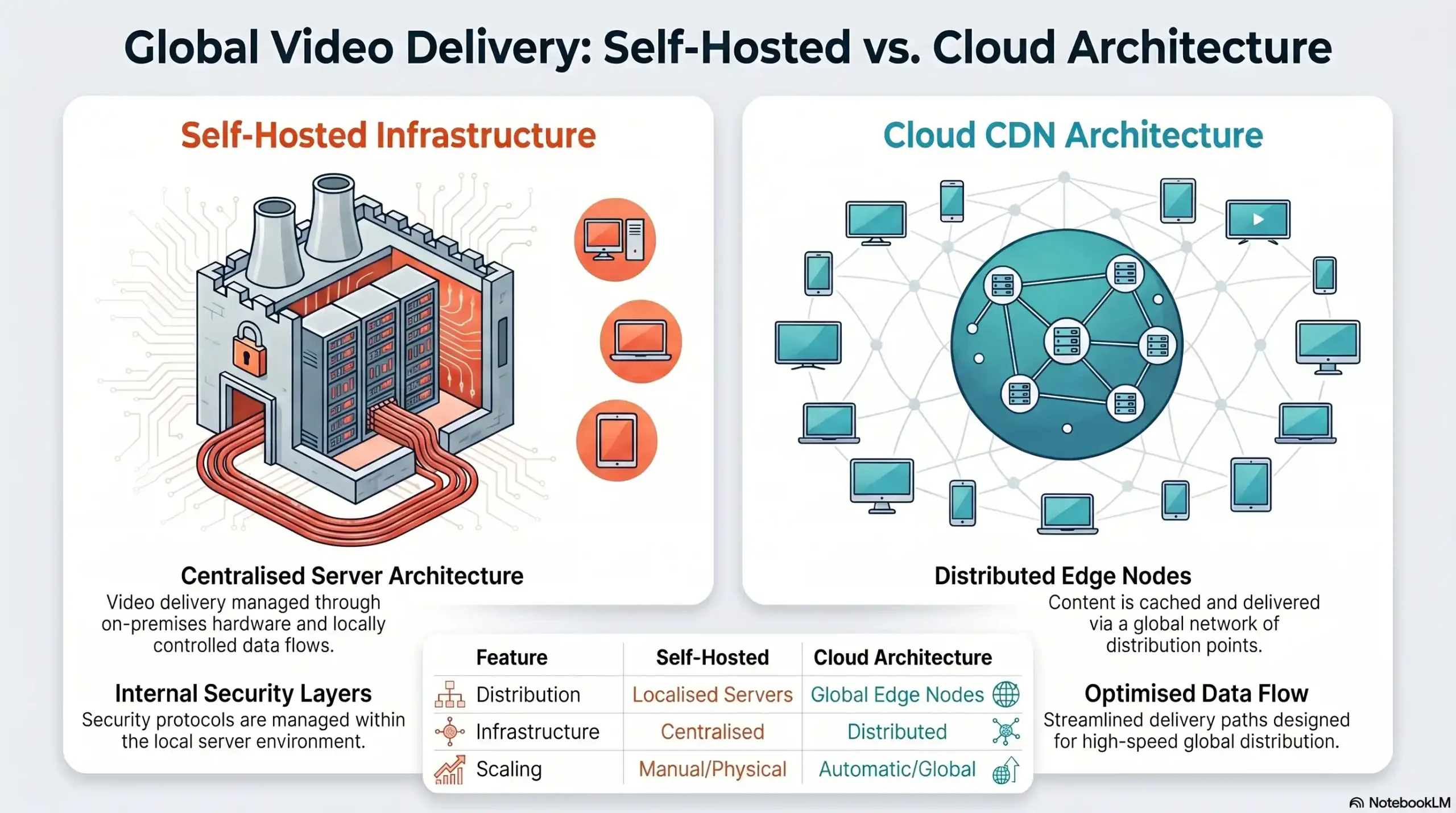
Infrastructure Ownership
- Self-Hosted: Creator-managed
- Cloud Video Hosting: Platform-managed
Global Delivery
- Self-Hosted: Single server location
- Cloud Video Hosting: Multi-node CDN
Security Layer
- Self-Hosted: Manual configuration
- Cloud Video Hosting: Built-in DRM + Encryption
Uptime Responsibility
- Self-Hosted: Your IT team
- Cloud Video Hosting: Platform SLA
Scalability
- Self-Hosted: Limited by hardware
- Cloud Video Hosting: Elastic, on-demand
Setup Complexity
- Self-Hosted: Weeks to months
- Cloud Video Hosting: 30 minutes
The 6 Critical Comparison Factors Every Creator Must Evaluate
1. Security & Content Protection (DRM, Encryption, Watermarking)
This is where the self-hosted vs. cloud decision is truly won or lost for serious content creators.
Self-hosted environments require you to manually implement and maintain every layer of content security. Configuring HLS encryption, setting up DRM licensing servers, deploying token-based authentication systems, and managing SSL certificates are all complex, ongoing technical responsibilities. One misconfiguration — one outdated library — and your entire content library becomes vulnerable.
Cloud video hosting platforms with enterprise-grade security eliminate this complexity entirely. Dynamic watermarking embeds invisible, viewer-specific identifiers directly into every video stream — meaning if your content leaks, you can forensically identify exactly who shared it. DRM encryption prevents unauthorized downloading or screen-capture extraction at the protocol level. Anti-piracy protection operates continuously, in the background, without any action required from you.
For content creators, the security gap between a properly configured cloud platform and a self-hosted server is not marginal — it is the difference between real protection and false confidence.
2. Global Performance & Content Delivery (CDN & Latency)
A self-hosted server has a physical location. Your viewers do not. A creator based in the United States hosting their own server will deliver fast, low-latency video to American viewers — and frustratingly slow, buffering-prone experiences to students in Southeast Asia, Europe, or the Middle East.
Cloud platforms powered by enterprise CDN infrastructure — such as Amazon CloudFront — solve this problem by design. Content is cached and delivered from the server node geographically closest to each individual viewer. The result is consistent, high-quality playback everywhere in the world, on every connection speed, without any configuration required on your end.
For globally distributed audiences, CDN-backed cloud hosting is not a luxury. It is a baseline requirement.
3. Scalability & Traffic Spikes
You launch a new course. A viral social post sends ten thousand new visitors to your sales page simultaneously. What happens to your self-hosted server?
In most cases: it slows down, delivers degraded video quality, or crashes entirely — taking your content and your credibility down with it. Self-hosted infrastructure scales only as far as the hardware you have provisioned in advance. Provisioning for peak traffic means paying for idle capacity the rest of the time.
Cloud video hosting scales elastically and automatically. Traffic spikes are absorbed by the platform’s distributed infrastructure without any intervention, performance degradation, or additional cost configuration on your part.
4. Total Cost of Ownership (TCO)
Self-hosting appears cheaper on the surface. The reality of total cost of ownership tells a very different story.
Factor in server hardware or VPS costs, bandwidth overages as your audience grows, IT staff time for maintenance and security patching, downtime costs when servers fail, and the catastrophic revenue loss from a single successful piracy breach — and self-hosting becomes dramatically more expensive than any cloud platform subscription.
Cloud video hosting converts unpredictable capital expenditure into a predictable, scalable operational cost — with enterprise-grade infrastructure included.
5. Technical Complexity & Setup Time
Configuring a production-ready self-hosted video server with proper security, redundancy, and global delivery capability requires weeks of specialized technical work — and ongoing maintenance expertise to keep it running securely.
Leading cloud video platforms are designed for the opposite experience. Full integration — including WordPress plugin setup, API connection, and security configuration — is achievable in under 30 minutes. No DevOps team required. No server administration knowledge necessary.
6. Analytics, Forensics & Threat Tracking
Self-hosted environments provide raw server logs. Transforming those logs into actionable viewer engagement data, threat identification reports, or forensic security insights requires additional custom development work.
Cloud platforms deliver real-time analytics dashboards covering viewer engagement, playback performance, geographic distribution, and — critically for security-focused creators — forensic threat tracking. Dynamic watermarking combined with detailed access logs means you always know who is watching, from where, and whether your content is being shared without authorization.
⚡ See How Inkrypt Videos Handles All 6 Factors.
Enterprise-grade security. Global CDN performance. 30-minute setup. Built for serious creators.
Self-Hosted vs. Cloud Video Hosting — The Verdict
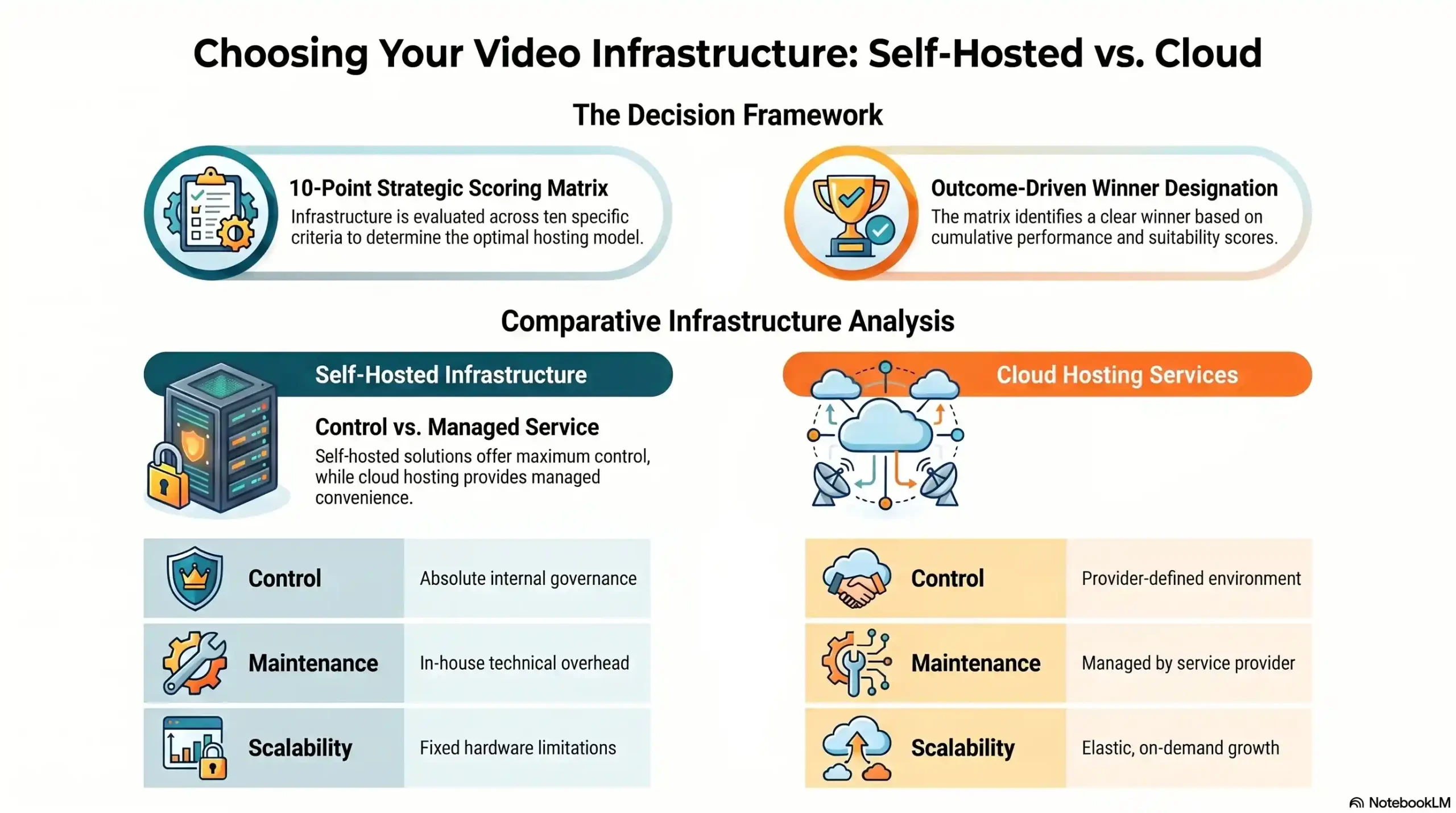
DRM Content Protection
- Self-Hosted: ❌ Manual setup required
- Cloud Hosting (Inkrypt): ✅ Built-in, always active
- Winner: ☁️ Cloud
Dynamic Watermarking
- Self-Hosted: ❌ Not available
- Cloud Hosting (Inkrypt): ✅ Forensic-grade
- Winner: ☁️ Cloud
Global CDN Delivery
- Self-Hosted: ❌ Single location
- Cloud Hosting (Inkrypt): ✅ Amazon CloudFront
- Winner: ☁️ Cloud
Setup Time
- Self-Hosted: ❌ Weeks
- Cloud Hosting (Inkrypt): ✅ 30 minutes
- Winner: ☁️ Cloud
Scalability
- Self-Hosted: ❌ Hardware-limited
- Cloud Hosting (Inkrypt): ✅ Elastic, automatic
- Winner: ☁️ Cloud
Total Cost of Ownership
- Self-Hosted: ❌ High & unpredictable
- Cloud Hosting (Inkrypt): ✅ Predictable subscription
- Winner: ☁️ Cloud
Device Compatibility
- Self-Hosted: ⚠️ Varies
- Cloud Hosting (Inkrypt): ✅ Universal
- Winner: ☁️ Cloud
Uptime Reliability
- Self-Hosted: ❌ Your responsibility
- Cloud Hosting (Inkrypt): ✅ Platform SLA
- Winner: ☁️ Cloud
Analytics & Forensics
- Self-Hosted: ❌ Raw logs only
- Cloud Hosting (Inkrypt): ✅ Real-time dashboard
- Winner: ☁️ Cloud
Infrastructure Control
- Self-Hosted: ✅ Full control
- Cloud Hosting (Inkrypt): ⚠️ Platform-managed
- Winner: 🖥️ Self-Hosted
Who Should Still Consider Self-Hosting? (Honest Assessment)
Edge Cases Where Self-Hosting Makes Sense
In the interest of complete transparency, self-hosting remains a viable consideration for a narrow set of use cases: large enterprises with mature, dedicated IT security teams; organizations operating under strict government data sovereignty regulations that prohibit third-party cloud storage; and highly specialized technical teams building custom video infrastructure as a core product offering.
The Non-Negotiable Baseline Security Requirements If You Self-Host
If self-hosting is genuinely the right choice for your situation, these security layers are non-negotiable: end-to-end HLS encryption, a properly licensed multi-DRM system, token-based URL authentication, a Web Application Firewall (WAF), and a regular third-party security audit schedule. Implementing these correctly and maintaining them ongoing represents a significant and continuous technical and financial investment.
🔗 Local Resources & Citations
1. U.S. Copyright Office — Digital Millennium Copyright Act (DMCA)
The official U.S. government body outlining digital content protection law — reference this to help readers understand the legal framework behind DRM enforcement and their rights when content is pirated.
2. World Intellectual Property Organization (WIPO) — International Copyright & IP Protection
The United Nations agency governing global intellectual property rights — essential for content creators distributing video internationally who need to understand cross-border piracy protection and enforcement.
3. W3C — Encrypted Media Extensions (EME) Specification — Official DRM Web Standard
The World Wide Web Consortium’s official technical specification governing how DRM encryption works in browsers — lends deep technical authority to any claims about HLS encryption and browser-level content protection.
4. NIST — National Institute of Standards and Technology — Data Encryption Standards
The U.S. government’s official cybersecurity and encryption standards body — directly supports claims about AES encryption strength used in enterprise video security platforms.
The Final Verdict — What Serious Creators Choose
For the overwhelming majority of content creators, online educators, enterprise media companies, and premium content publishers, cloud video hosting is not just the better option — it is the only option that provides genuine content protection, global performance, and business scalability simultaneously.
Self-hosting trades false control for real vulnerability. Cloud hosting trades infrastructure complexity for real security, real performance, and real peace of mind.
The Inkrypt Videos Advantage: Where Security Meets Simplicity
Inkrypt Videos was built specifically to solve the problems that make content creators vulnerable: piracy that costs real revenue, buffering that destroys student experiences, and security configurations that require engineering teams to maintain. With military-grade DRM encryption, dynamic forensic watermarking, Amazon CDN-powered global delivery, and a 30-minute setup process, Inkrypt Videos delivers the protection serious creators need — without the complexity they cannot afford.
Real security for real creators.
🛡️ Protect Your Content Today
See exactly how Inkrypt stops piracy, eliminates buffering, and scales with your business — in one live session.