Zoom is the best overall video conferencing platform in 2026 for most teams, Microsoft Teams is the strongest choice if you’re already on Microsoft 365, Google Meet is the best free, no-download option, and Cisco Webex leads for enterprise security and compliance. Which one fits depends more on your existing tools and security needs than on any single “best” pick.
This guide compares the top video conferencing platforms for 2026 and — just as important — what to do with your recordings once the call ends.

The Best Video Conferencing Platforms at a Glance
- Zoom — Best overall, most feature-rich option for teams of any size.
- Microsoft Teams — Best for organizations already on Microsoft 365.
- Google Meet — Best free, browser-based option with no download required.
- Cisco Webex — Best for enterprise security and regulated industries.
- RingCentral — Best for combining phone and video in one platform.
- Whereby — Best lightweight option for small teams that skip installs.
1. Zoom — Best Overall
Zoom remains the most widely used video conferencing platform, combining meetings and webinars in one tool with a mature feature set — breakout rooms, AI-generated meeting summaries, and a broad app marketplace — plus strong audio quality even on unreliable connections.
- Feature-complete: breakout rooms, AI summaries, extensive app integrations.
- Strong audio performance on weaker connections.
- Free tier available, with a time limit on group calls that pushes many teams to a paid plan.
2. Microsoft Teams — Best for Microsoft 365 Organizations
Microsoft Teams combines video conferencing with team chat in one app, and its deep integration with Microsoft 365 makes it the practical default for organizations already paying for that ecosystem.
- Tightly integrated with Microsoft 365 apps and files.
- Combines chat and video rather than treating video as a separate tool.
- Effectively included in most Microsoft 365 Business plans, so a separate cost is rarely justified for M365 users.
3. Google Meet — Best Free Option
Google Meet is fully browser-based with no software to install, and pairs a generous free tier with seamless Google Workspace integration, making it the easiest option for external guests to join without friction.
- No downloads — works entirely in the browser.
- Guests can join without needing a Google account.
- Best default for organizations already using Google Workspace.
4. Cisco Webex — Best for Enterprise Security
Cisco Webex has been an enterprise conferencing standard since before Zoom existed, and its security credentials reflect that history — including FedRAMP authorization for U.S. federal use and HIPAA compliance for regulated industries.
- FedRAMP authorized, a distinction few competitors share.
- Strong compliance credentials: HIPAA, ISO 27001.
- Competitive free tier, including an AI assistant available even on free accounts.
5. RingCentral — Best for Phone + Video Together
RingCentral combines business phone systems with video conferencing in a single platform, which makes it a practical fit for mid-size and enterprise teams that want to consolidate communications tools rather than run video and phone separately.
- Combines phone and video communications in one platform.
- Fits mid-size to enterprise teams with broader communication needs.
- Less focused purely on video than Zoom or Webex, by design.
6. Whereby — Best Lightweight Option
Whereby is built for small teams and client-facing calls that want to skip software installs entirely, favoring a simple, browser-based meeting experience over a large feature set.
- Fully browser-based, minimal setup for hosts and guests.
- Simpler and lighter than the larger enterprise platforms.
- Better suited to small teams than large organizations needing admin controls.
What Video Conferencing Doesn’t Cover: Your Recordings
Video conferencing platforms are built for the live call — they’re not built to host, protect, or deliver that recording afterward once you want to reuse it. That gap matters more than it seems once a meeting becomes a webinar replay, a training module, or paid course content.
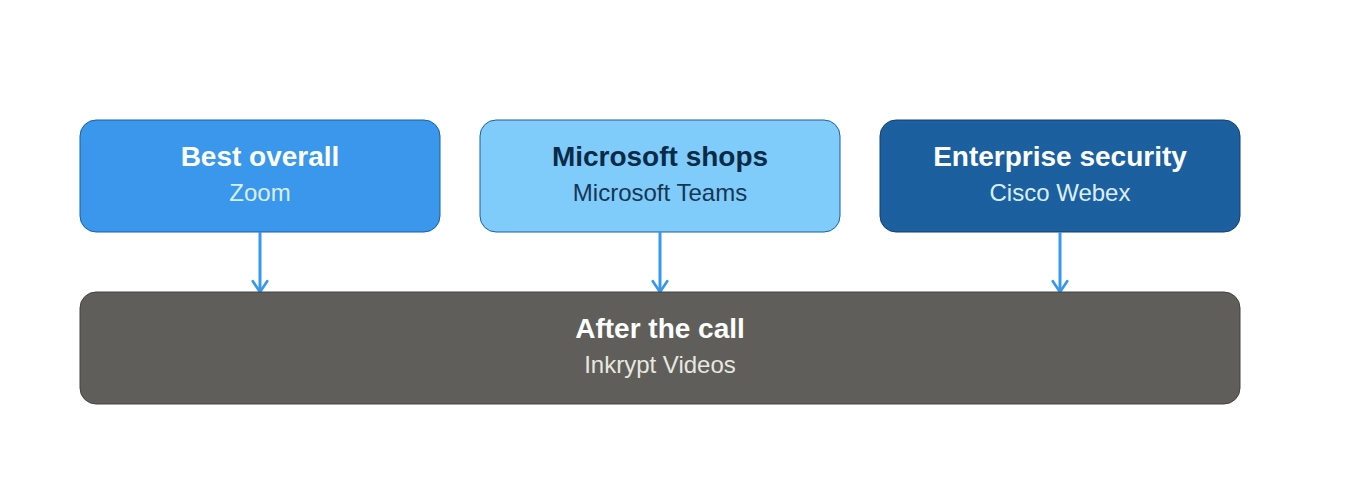
Once a session is recorded, it typically still needs:
- Secure hosting — Meeting platform recordings usually aren’t built for public or paid distribution at scale.
- DRM protection — Especially for paid webinars or internal training you don’t want redistributed, the kind of protection covered in What Is DRM?
- Adaptive delivery — So a training library plays smoothly for every viewer, using the same HLS/M3U8 technology covered in our streaming guides.
This is where Inkrypt’s video hosting features pick up — turning a raw meeting recording into a protected, streamable asset instead of leaving it in the conferencing platform’s cloud storage.
How to Choose the Right Video Conferencing Platform
- Already on Microsoft 365 → Microsoft Teams.
- Already on Google Workspace → Google Meet.
- Need the richest feature set and don’t mind paying → Zoom.
- Regulated industry or government compliance needs → Cisco Webex.
- Want phone and video consolidated → RingCentral.
- Small team, client calls, no installs → Whereby.
- Recording sessions for course content or training → any of the above, paired with DRM-protected hosting for the recordings afterward.